
Good karaoke balance is not just “turn the microphone up.” It is the relationship between the singer and the backing track: the lyrics should stay easy to follow, the music should still feel full, and the vocal should sound connected to the song instead of buried behind it or pasted on top.
Who this guide is for: Home karaoke users who want vocals to stay clear without making the whole mix sound thin, harsh, detached, or uncomfortable.
How this guide was prepared: This guide was written from the perspective of real home karaoke listening: how vocal masking, backing-track density, room position, and level relationship affect what people actually hear when they sing.
Music and vocals can both be loud enough and still feel wrong together. Sometimes the singer disappears as soon as the chorus opens up. Other times the vocal sits so sharply on top that it sounds separate from the song. In both cases, the issue is usually not simple volume. It is the way the voice and music are sitting against each other.
In home karaoke, the best balance is judged from the place where people actually sing, not from the mixer, TV, or one speaker. That means listening for masking, blend, forwardness, and vocal position instead of assuming the answer is always more microphone level. For broader plain-English context around how technical audio ideas affect home karaoke, see our Karaoke Technical Guides.
Quick Answer
To balance music and vocals in karaoke, listen to how the voice relates to the backing track rather than asking only which one is louder. Good balance means the lyrics stay easy to follow, the singer feels connected to the song, and the music still has body and energy from the normal singing position. If the voice sits too far back, it gets masked when the arrangement becomes fuller. If it sits too far forward, it may sound detached, sharp, or pasted on top of the track. The best home karaoke balance keeps the vocal readable from verse to chorus without breaking the natural blend of the song.

Table of Contents
What good vocal balance actually means
Good vocal balance does not mean the singer dominates the room. It means the voice holds the right place inside the song, where the words stay understandable without making the music feel smaller, thinner, or less connected.
In karaoke, this relationship matters more than raw loudness because people do not experience the microphone and track as two separate things. They hear whether the performance feels joined together. A balanced mix lets the vocal remain easy to follow while the backing track still carries rhythm, body, and emotional energy.
This is why music-to-vocal balance is different from a basic control-setting topic. The real question is not simply which knob to move first. The real question is what the ear is trying to hear when music and vocals feel right together.
Masking is a major part of that judgment. When the backing track competes with the voice in the wrong way, lyrics become harder to catch even if the microphone does not seem obviously too low. At home, this often shows up when the vocal seems acceptable during a sparse verse, then loses its place as the chorus becomes fuller.
Comfort matters too. When the vocal sits in the right place, the singer does not feel the need to push constantly just to be understood. When the relationship is wrong, people lean harder into the mic, force more energy than they should, and the mix begins to feel tense even if nothing is technically broken.
The best balance in a home karaoke room often sounds calmer than people expect. The voice is readable, but not so aggressively spotlighted that it stops belonging to the song. The music still feels full, but not so dominant that the singer has to fight it.
Why loud can still sound wrong
A vocal can be loud and still poorly balanced. That usually happens when the voice is audible as a separate object but does not feel naturally placed inside the track. The singer is easy to notice, but the performance does not feel glued together.
This is one reason some karaoke systems sound “clear” at first but become tiring after a few songs. The vocal may be pushed forward enough for every word to be heard, yet the music loses body around it. Instead of hearing a singer inside the song, you hear a microphone sitting on top of the song.
The opposite problem is also common. The backing track may sound exciting, full, and energetic, but the vocal disappears when the arrangement gets busy. In that case, the music is carrying the room while the singer is losing the space needed for the lyrics to remain clear.
Good balance lives between those two problems. The voice should not fight the track, and the track should not swallow the voice. The singer should feel present without making the song feel smaller.
What changes when the voice sits too far back or too far forward
When the voice sits too far back, the first change is usually not total silence. It is loss of confidence in the lyric line. Consonants soften, syllables blur, and the singer feels less anchored in the song.
That is why a mix can sound acceptable at the beginning of a song and still fail when the chorus arrives. More instruments enter, more harmonic content fills the room, and the voice has a harder time holding its place. The ear experiences that as the singer being buried, but the deeper issue is that the backing track is covering too much of the vocal’s useful information.
When the voice sits too far forward, a different problem appears. The vocal becomes obvious, but not necessarily more natural. It can feel exposed, sharp, detached, or strangely separate from the music around it.
This pasted-on effect makes karaoke feel less musical even when every word is technically easy to hear. The singer is present in the wrong way: more noticeable, but less integrated.
Both extremes create strain. If the voice is too far back, people oversing to compensate. If it is too far forward, the mix starts feeling stiff and self-conscious. The sweet spot is where the song still feels full, but the singer stays easy to follow without sounding disconnected from the track.
How to judge balance from the normal singing position
The best place to judge music-to-vocal balance is the place where people normally stand or sit while singing. That sounds obvious, but many home karaoke adjustments are made too close to the TV, mixer, or one speaker. From those spots, the relationship between voice and track can feel very different from what the singer hears in the real performance position.
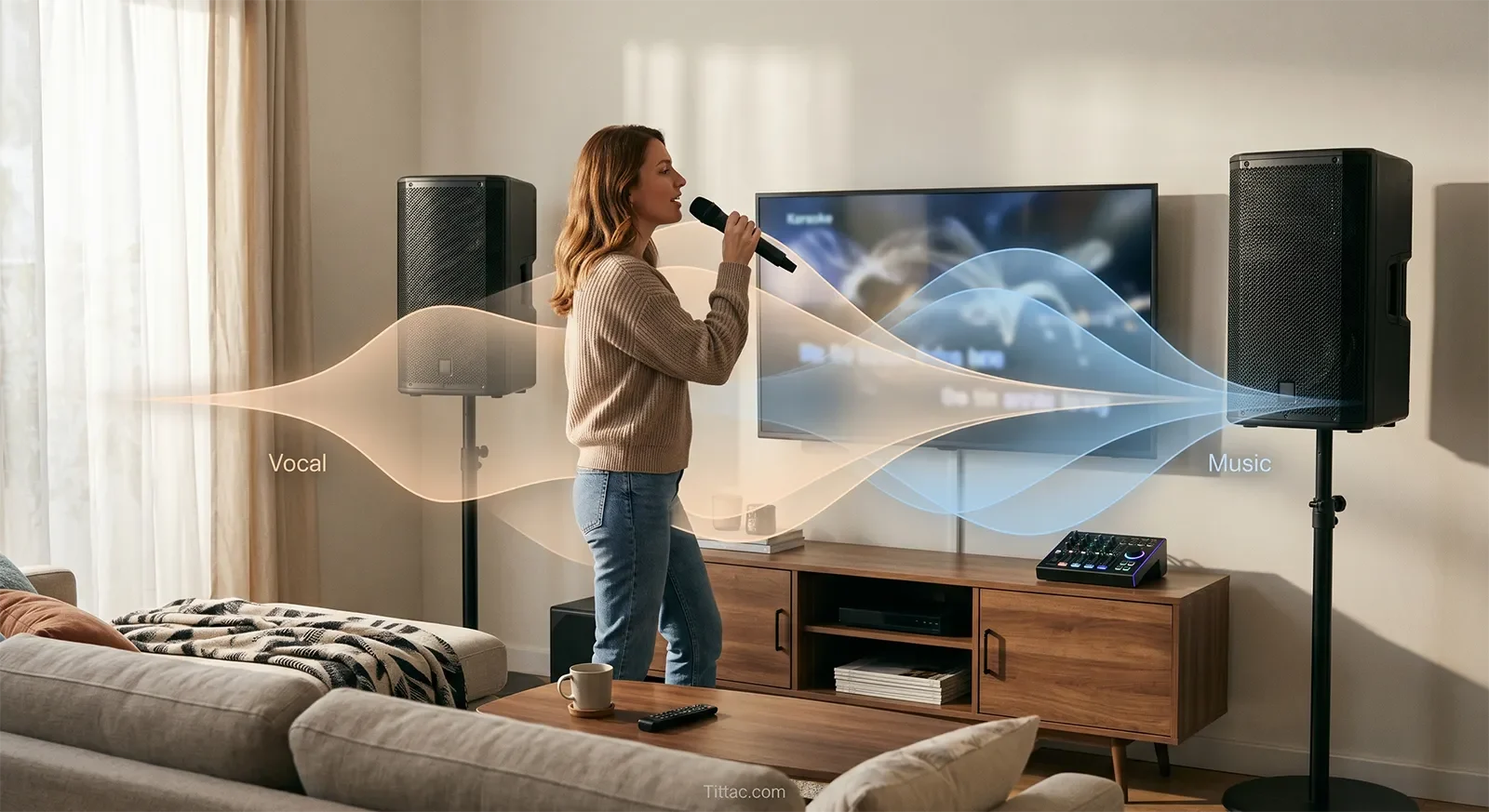
Room reflections, speaker angle, distance, and furniture placement can all change how the vocal sits against the backing track. A setting that sounds clear near the controls may feel buried where the person actually sings. The opposite can also happen: the vocal may seem exciting near the system but too forward and detached in the center of the room.
Use this listening order:
- First, ask whether the words are easy to catch without effort.
- Second, ask whether the singer sounds connected to the song instead of pasted on top.
- Third, ask whether the overall mix still feels comfortable at normal room volume.
This keeps the focus on balance instead of drifting too quickly into separate tone, EQ, or echo decisions.
People often misdiagnose balance problems as microphone strength, treble, or presence problems. Sometimes those things matter, but the first question should be simpler: does the voice hold a believable position against the track from the place where karaoke is actually used?
If the vocal still feels confusing after the basic balance is close, compare this topic with How Vocal Presence Really Works in Karaoke Mixes. Presence and balance are related, but they are not the same thing. Presence is about how the vocal projects and cuts through. Balance is about whether the voice and backing track hold the right relationship to each other.
What people misunderstand about louder vs clearer
A common mistake is assuming that if the vocal is easier to notice, it must be better balanced. Louder and clearer are not always the same perception. A voice can step forward in the mix and still feel wrong if the song no longer holds together around it.
Real clarity is not only about audibility. It is also about placement. When the placement is right, the words come through without making the music feel pushed aside. When the placement is wrong, the vocal may sound obvious but the mix can feel exposed, narrow, or unnatural.
This is why some systems sound clear but not musical. The issue is not always lack of intelligibility. It is often a mismatch between vocal visibility and vocal belonging. The singer is easy to hear, but not fully embedded in the performance.
Another misunderstanding is thinking that lyric intelligibility alone proves the balance is correct. A karaoke mix can communicate every word and still feel tense if the voice sits too separately from the track. Good balance asks for both readability and blend.
For a broader control overview, see How to Set Mic Volume, Music Volume, Echo, Bass and Treble. For tone shaping after the basic relationship is right, see Advanced EQ Tips for Karaoke That Actually Help at Home. Those topics matter, but this guide is specifically about how the ear judges the relationship between singer and song.
A simple verse-to-chorus listening test
A familiar song with a quieter verse and a fuller chorus is one of the best ways to judge karaoke balance at home. Start from the normal singing position and listen to the verse first. If the voice already feels natural there, do not rush to make it more obvious.

Then wait for the chorus. This is where the balance usually reveals the truth. If the singer suddenly loses definition when more instruments arrive, the voice is probably sitting too far back and getting masked by the track. If the vocal stays easy to hear but now feels detached, pasted on top, or separate from the song, the balance has likely moved too far forward.
After that, return to the verse and listen again. A healthy balance should feel stable across both sections, even if the chorus naturally feels bigger and more energetic. The singer does not need to dominate every moment. The mix just needs to keep the vocal readable and believable while the arrangement changes around it.
This test works because it exposes relationship changes better than static listening. A setting that seems fine in one quiet passage may fail when the song asks the vocal to hold its place against more musical weight.
The stopping rule is simple: stop adjusting once the singer remains easy to follow and the song still feels full in both the verse and chorus. Do not keep chasing a more obvious vocal if the mix already sounds natural in the room. In karaoke, believable balance is usually better than exaggerated clarity.
Conclusion
Balancing music and vocals in karaoke is really about managing the relationship between the singer and the song. If the voice sits too far back, it gets swallowed as the arrangement thickens. If it sits too far forward, the mix loses blend and starts feeling detached or unnatural.
The best result keeps the words clear while preserving the fullness, energy, and musical connection of the backing track. Judge the mix from the normal singing position, then listen for whether the vocal stays readable, connected, and stable from verse to chorus. When that relationship is right, karaoke feels easier, clearer, and more musical without turning into a constant control chase.
Frequently Asked Questions
Should the vocal always be louder than the music in karaoke?
No. The vocal should usually be easy to follow, but that does not mean it should sit far above the song at all times. The better goal is a voice that stays readable while still feeling connected to the backing track. If the singer becomes too dominant, the mix often stops sounding natural even though the words are easy to hear.
Why does the vocal disappear mostly during choruses?
Choruses usually add more instruments, more density, and more overlap in the same range as the voice. That increases masking. A vocal can seem fine during a sparse verse, then lose its place when the arrangement gets fuller. In most home karaoke rooms, that points to a relationship problem between the vocal and track, not just simple lack of microphone volume.
Why can the balance sound fine near the controls but wrong where I sing?
Music and vocals do not relate the same way everywhere in the room. Distance, reflections, speaker direction, and listening height can all change how the voice sits against the track. Final judgment should happen from the normal singing spot, not only from the TV area, mixer position, or the easiest place to reach the controls.
Is vocal balance the same as vocal presence?
No. Vocal balance is about how the voice sits relative to the backing track. Vocal presence is about how the voice projects, cuts through, and feels forward in the mix. A vocal can have presence but still be poorly balanced if it sounds detached from the song.
What is the easiest way to test music-to-vocal balance at home?
Use a familiar song with a quieter verse and a fuller chorus. Listen from the normal singing position and compare whether the singer stays easy to follow in both sections without sounding detached from the music. If the voice disappears in the chorus, it is usually too far back. If it sounds pasted on top throughout the song, it is usually too far forward.
The next useful step is learning why some vocals seem clear but still do not feel present in the mix. That extra layer helps explain what your ear is reacting to after the basic balance is already close.
Read the vocal presence guide next










