
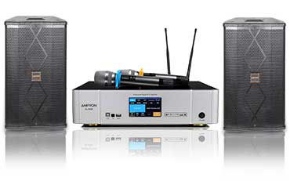
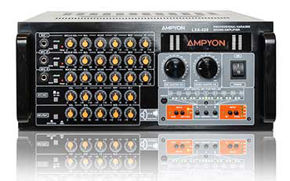
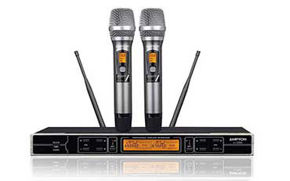








If you want to connect karaoke to home theater receiver gear you already own, the main goal is to add singing without turning your whole entertainment setup into a wiring mess. Many people already have a TV, speakers, and receiver in place, so it feels natural to build karaoke around that system. The problem is that movie audio and live microphones do not always follow the same simple path.
This guide explains when a receiver-based setup works well, when it becomes too complicated, and how to route music and microphones in a safer order. It is written for people who already have a receiver and want to add karaoke without guessing through inputs and outputs. For a broader view of how karaoke gear fits together before you connect anything, start with The Complete Guide to Home Karaoke Systems.
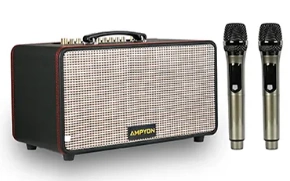
Quick answer: The cleanest way to connect karaoke to a home theater receiver is to keep one clear audio path for music and one clear control point for microphones. In most home setups, the receiver can power the room sound well, but karaoke works best when vocals are added through a karaoke mixer, karaoke speaker, or another device that can manage microphone levels before the final signal reaches the receiver.
When a Home Theater Receiver Helps and When It Does Not
A home theater receiver helps when it already serves as the center of your room audio and you want karaoke music to play through the same speakers. It does not help as much when it adds too many steps between the TV, microphones, and final sound, especially if there is no clean place to control vocals.
A receiver can be useful because it already connects your TV and speakers in a familiar layout. That makes it a reasonable starting point for people who do not want to buy a separate full-size karaoke system right away. If your living room is already arranged around the receiver, adding karaoke may feel more natural than rebuilding everything from scratch.
At the same time, karaoke is not just about playing music loudly. It also requires clear microphone handling, good vocal balance, and a signal path that stays easy to troubleshoot. If you try to force microphones into a theater setup without a proper control point, the system can become harder to manage than a simple dedicated karaoke arrangement.
- A receiver helps when: you already use it as the main audio hub and want to reuse the same room speakers.
- A receiver is less helpful when: it creates confusing routing between TV audio, microphone inputs, and vocal control.
- A receiver works best for karaoke when: the setup still has one clear place to balance music and microphones before the sound reaches the speakers.
The key question is not whether a receiver is good or bad. It is whether your karaoke signal path stays simple enough to control once live microphones enter the system.
Safe Ways to Add Karaoke to an Existing Entertainment Setup
The safest way to add karaoke is to keep the existing theater system stable and insert karaoke in one clean stage. You want music, vocals, and speaker output to meet in an order you can repeat, not in a chain that changes every time you want to sing.
For most homes, there are two sensible approaches. In the first, the receiver stays as the main room-audio device while a karaoke mixer or similar device handles microphones before sending the combined signal onward. In the second, karaoke gear handles the vocal side more directly and then feeds the receiver only as the final playback destination.
- Confirm your current theater chain works first. TV, source device, and speakers should already play normal content correctly before you add microphones.
- Add one karaoke control point. This should be the device that manages microphone level and vocal blending.
- Route music in one clear direction. Avoid building a setup where the TV, receiver, and karaoke device are all trying to manage the same signal at once.
- Test music before microphones. This shows whether the TV and receiver side is working before live vocal variables are added.
If your TV is the screen and source hub for karaoke content, How to Connect a Karaoke System to a Smart TV is a useful companion guide before you decide exactly where the receiver should sit in the final chain.
Do not rewire your full movie setup every time you sing if you can avoid it. A repeatable karaoke path is usually more valuable than a technically possible but confusing one.
Input, Output, and Signal Routing Basics
Good karaoke routing starts with one simple question: where does the music enter, where do the microphones enter, and where does the combined signal leave? Once those three points are clear, the rest of the setup becomes much easier to understand.
In practical terms, the source device or TV provides the music. The microphones should enter a device designed to manage vocal sound, not just a device meant to switch movie inputs. Then the combined result goes to the receiver or speaker system for room playback.
- Music input: comes from the TV, streaming device, phone, tablet, laptop, or karaoke player.
- Microphone input: should go to a karaoke mixer, karaoke speaker, or another audio device that can balance vocals properly.
- Final output: goes to the receiver or speaker chain that fills the room.
The main mistake people make is assuming the receiver should do every job in the chain. A receiver is excellent at managing room playback, but that does not automatically make it the best place to handle live microphone control. Karaoke usually works better when vocals are added before the final room-audio stage.
Think of the receiver as the room sound engine, not necessarily the full karaoke brain. If you keep that role clear, it becomes easier to connect, test, and reuse the system without confusion.
Problems to Watch for with TV Audio and Microphones
The most common problems in a receiver-based karaoke setup are wrong input selection, TV audio going to the wrong destination, and vocal issues caused by speaker placement or overly complex routing. These are usually setup problems, not hardware failures.
Start with the TV and music path. If the TV is still sending sound to its internal speakers, or if the receiver is listening to the wrong input, the system can look connected while producing no useful result. Once music works, then check the microphone side separately so you do not mix two problems together.
- Wrong TV audio output: the picture may work while the sound goes somewhere unexpected.
- Wrong receiver input: the cables may be correct, but the receiver may not be listening to that path.
- Feedback risk: microphones and theater speakers in the same room can become unstable if the speakers fire directly back into the mics.
- Too many active stages: when TV, karaoke gear, and receiver all process audio differently, the system becomes harder to balance.
If music is reaching the screen but not the karaoke chain the way you expect, No Sound from TV to Karaoke System: Troubleshooting Guide gives you a faster fix path before you start changing everything in the room.
A good rule is to test in order: source and TV first, receiver playback second, microphones third. That order catches most real-world setup problems without unnecessary guesswork.
When to Keep Karaoke Separate from the Theater System
Sometimes the best answer is not to run karaoke fully through the theater setup at all. If the receiver-based chain becomes too complicated, a separate karaoke path can be easier to use, easier to repeat, and less disruptive to your normal entertainment system.
This is especially true if your karaoke gear moves between rooms, if family members want a quick plug-in session, or if your movie setup is already tuned the way you like it and you do not want to reconfigure it often. A separate karaoke speaker or dedicated karaoke signal path can reduce the number of settings you need to touch every time.
Keeping karaoke separate can also make troubleshooting easier. When music, microphones, and speakers all belong to one dedicated chain, problems are easier to isolate. That can matter more than theoretical flexibility, especially for casual home use where speed and simplicity matter.
If your receiver setup feels clean and repeatable, keep using it. If it feels like every karaoke session starts with menu digging, cable swapping, and input confusion, a simpler separate path may serve you better.
Conclusion
A home theater receiver can be a useful bridge into karaoke, but only if the signal path stays clear and the microphones are handled in the right part of the chain. If you are still deciding whether a receiver-based setup is truly the best long-term choice for singing, read Karaoke System vs Home Theater: Which Is Better for Singing? before you invest more time into a complicated layout.
The most practical home result usually comes from simple routing, stable TV audio, and one clear place to control vocals. When those pieces are in order, your receiver can support karaoke well without turning every session into a troubleshooting project.
Frequently Asked Questions
Can I use my existing home theater speakers for karaoke?
Yes, many people do, especially when the receiver already powers the main living-room setup. The important part is how the microphone signal is added before the final room playback stage. If the vocals are not controlled cleanly, the speakers may still work, but the overall karaoke experience can feel confusing or unstable.
Do I need a separate karaoke mixer if I already have a receiver?
In many home setups, a separate karaoke mixer or another device that can manage microphones makes the signal path much easier to control. A receiver handles room audio well, but karaoke often needs a more direct way to balance voice and music before everything reaches the main speaker system.
Why do I hear music through the receiver but not the microphones?
That usually means the music path is working but the vocal path is not entering the system correctly. Check where the microphones are plugged in, confirm the karaoke control device is active, and make sure the receiver is playing the input that carries the combined signal rather than only the original music source.
Is it better to keep karaoke separate from the home theater system?
It depends on how often you sing and how simple you want setup day to feel. If the receiver-based chain works cleanly and stays repeatable, using it can make sense. If karaoke repeatedly causes input confusion, feedback, or rewiring, a separate setup is often easier for casual home use.
Still getting picture but no usable sound into the karaoke side?
Follow the dedicated TV-audio fix path next.