
If your karaoke system sounds distorted, lower the mic, music, and master levels first, then test the microphone, music source, and full mix one stage at a time. Most home karaoke distortion comes from overload, clipping, or poor level balance—not from one mysterious broken setting.
Who this guide is for: Home karaoke users whose vocals, music, or full mix sound harsh, fuzzy, strained, crackly, or broken instead of clean and natural.
How this guide was prepared: This guide focuses on one setup problem only: distorted karaoke sound. It follows a practical troubleshooting order used for home systems: reduce overload first, test each part separately, then rebuild the mix without pushing the system past its clean range.
Distortion is different from feedback, low microphone volume, weak bass, or a bad song track. Feedback usually rings or squeals. Low volume sounds weak. Distortion sounds rough, harsh, overloaded, or broken, especially when the singer gets louder or the system is pushed harder.
The goal is not to turn everything down forever. The goal is to find which part of the karaoke chain is being pushed too hard. If you want the broader setup picture before fixing this exact issue, start with the Step-by-Step Home Karaoke Setup Guide.

Table of Contents
Quick Answer
To fix distorted karaoke sound, lower the microphone level, music level, and master volume first. Then test the microphone alone, the music alone, and the full mix together. If the vocal distorts first, focus on the microphone path. If the music distorts first, check the source and music input. If everything distorts together, the master output, amplifier, or speakers may be pushed past their clean range.
Confirm the Exact Symptom First
Before changing settings, make sure you are really dealing with distortion. In home karaoke, people often use one word to describe several different problems. A system with feedback can sound sharp and unpleasant. A weak microphone can sound thin. A delayed setup can feel disconnected. Distortion has a different pattern: the sound feels rough, strained, fuzzy, or broken when part of the system is pushed too hard.
Use one familiar song, one microphone, and a moderate volume. Then listen for where the harshness appears.
- If only the vocal sounds rough, the problem may start in the microphone path.
- If only the music sounds strained, the source or music input may be too hot.
- If both vocals and music become ugly together, the issue may be farther down the chain, such as master output, amplifier, or speaker strain.
- If the sound rings or squeals, you may be dealing with feedback rather than distortion.
This first distinction saves time. Many users start turning random controls up or down without learning where the sound breaks first. That may make the room different, but not cleaner.
You should also separate distortion from a weak mix. Sometimes the sound is not truly breaking up. The vocal is simply buried, so the user boosts the microphone too hard to compensate. If the vocals feel too low before they sound rough, review Fixing Low Microphone Volume before assuming the whole system is damaged.
Most Common Causes
Once you confirm the symptom, most karaoke distortion problems come from a few repeat patterns.
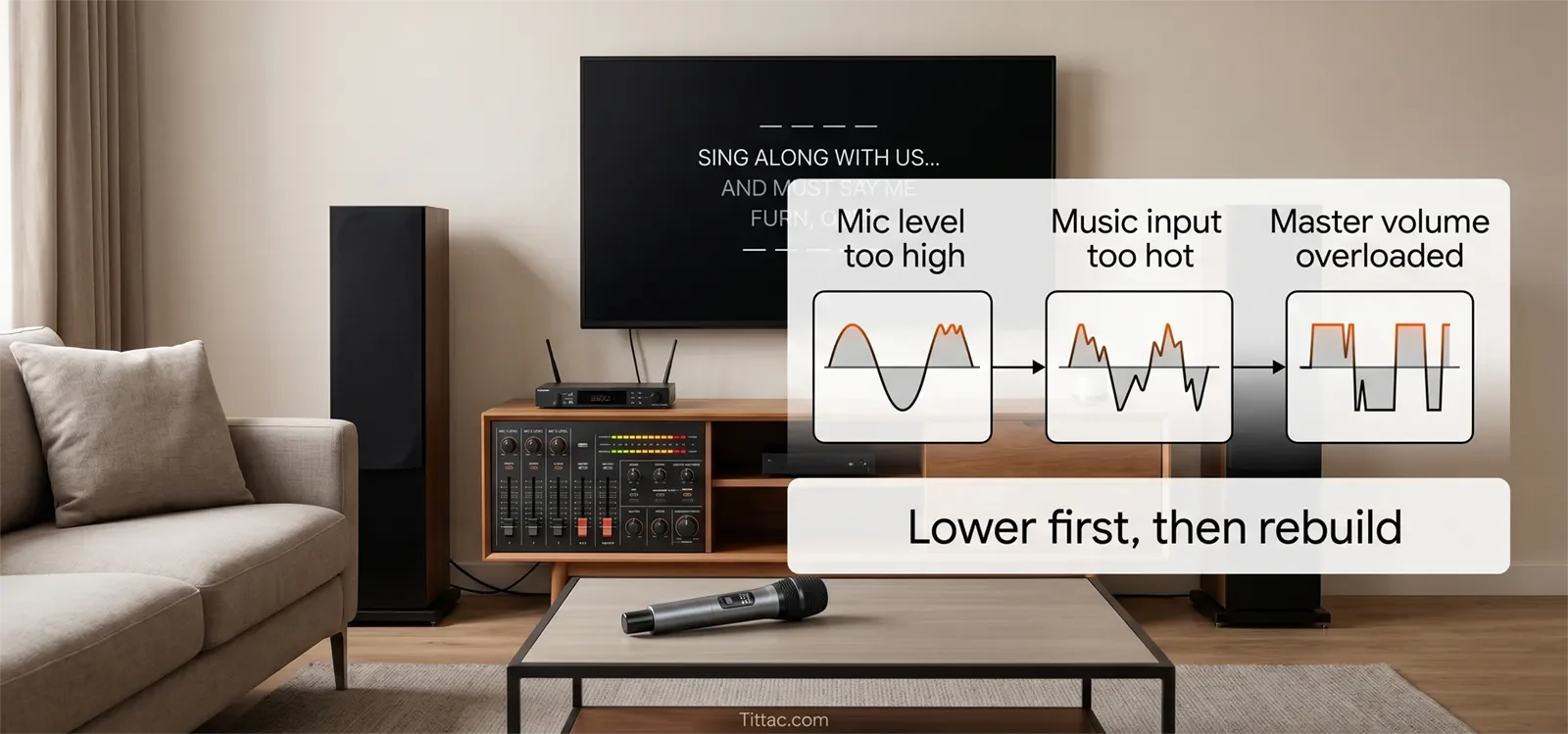
Mic Gain Is Too High
If the microphone path is driven too hard, loud singing can turn rough before the rest of the mix does. This is common when users try to make vocals stronger by raising mic level aggressively instead of balancing the system more carefully.
The Music Source Is Too Hot
If the music source is already loud, compressed, or harsh before it enters the karaoke system, the system may sound strained even when the speakers and amplifier are not the original cause.
Master Volume Is Past the Clean Range
A system can sound fine at moderate volume and then become hard, flat, or broken once the output is pushed too far. This does not always mean the gear is defective. It often means one stage has reached its clean limit.
Too Many Controls Are Boosted at the Same Time
Home users often raise mic volume, music volume, master output, echo, bass, and treble together while trying to get a bigger sound. That can make the room feel louder for a moment, but it also increases the chance that one stage clips or overloads.
Effects and EQ Are Adding Pressure
Strong echo, heavy reverb, boosted bass, or extreme treble can make the sound feel fuller at first. But too much processing can also make the mix less controlled and cause harshness to show up sooner.
The Problem Is Actually Feedback
If the sound becomes sharp, ringing, or squealing when the microphone gets near the speaker, the issue may not be distortion. In that case, review How to Stop Microphone Feedback before pushing the system harder.
The useful pattern is simple: distortion usually happens because one stage is being overloaded. Once you stop treating it like a random problem, troubleshooting becomes much easier.
Step-by-Step Fix Order
The fastest way to fix distorted karaoke sound is to work in a fixed order. This protects the system, keeps the room stable, and helps you hear which change actually improved the sound.
1. Lower the Whole System First
Bring down microphone level, music level, and master output before testing anything else. This is not just about making the room quieter. It stops overload so you can hear the real problem more clearly.
2. Remove Extreme Settings
If multiple controls have been boosted, simplify the setup. Bring strong echo, reverb, bass, and treble settings back toward a cleaner baseline. Extreme settings can make the signal thicker but less controlled.
3. Test the Microphone Alone
Turn the music down and sing at a normal level. If the microphone already sounds rough by itself, the issue likely starts in the mic path. Lower mic gain or mic volume before changing the rest of the system.
4. Test the Music Alone
Play a familiar track without singing. If the music already sounds harsh, the issue may be the source, input level, file quality, or output stage rather than the microphone.
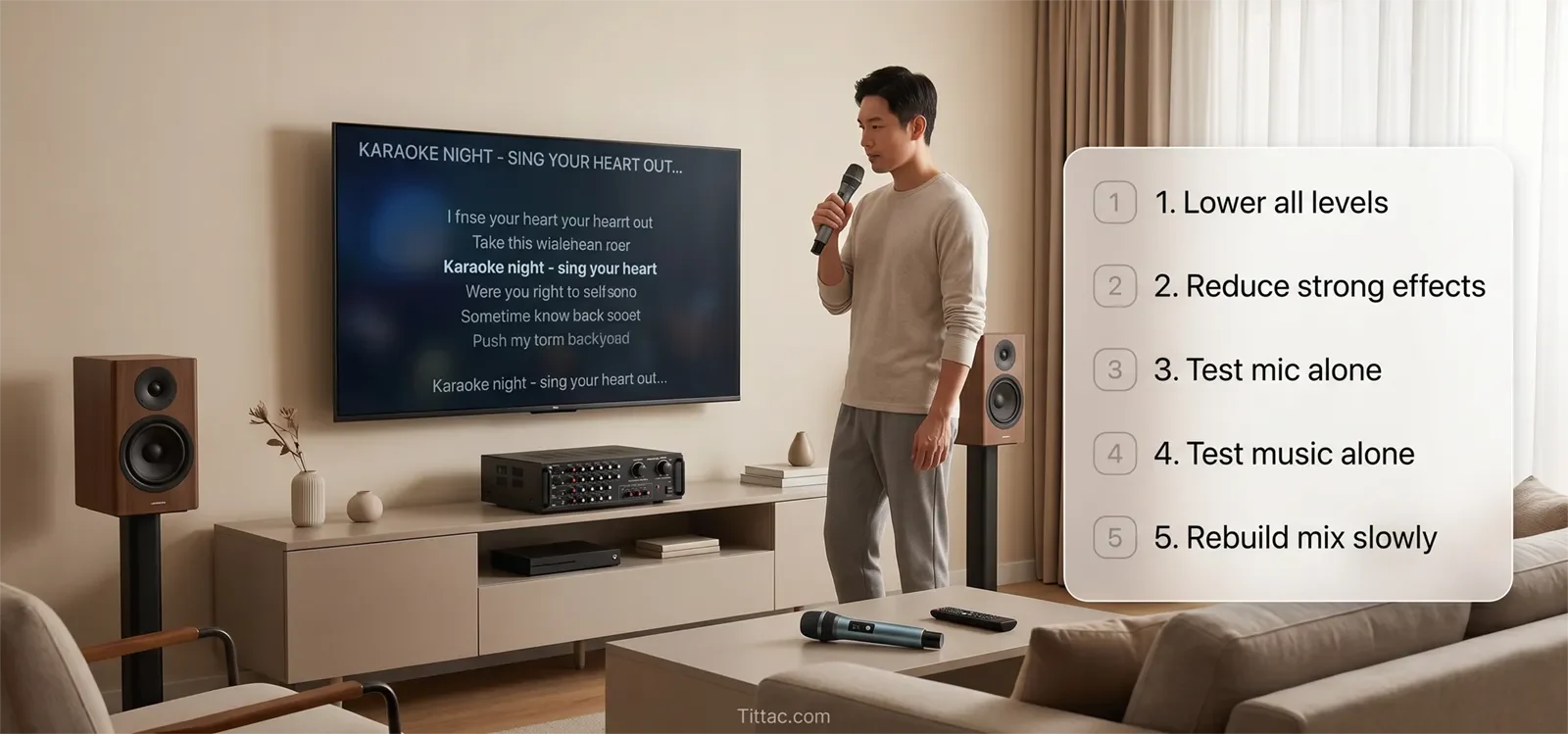
5. Bring Vocals and Music Together Slowly
Once each part sounds acceptable on its own, combine them gradually. Listen for the exact moment the sound stops feeling clean. That point tells you more than jumping straight back to party volume.
6. Compare One Variable at a Time
If possible, try another microphone, another cable, another music source, or another input. Do not change all of them at once. Controlled comparison tells you whether the distortion follows one device or stays with the same part of the system.
7. Stop Chasing Loudness With More Loudness
If vocals feel buried, do not automatically boost everything around them. If the music feels small, do not assume harder output will stay clean. The goal is a clearer balance, not a more aggressive room.
8. Retest With Real Singing
A system that sounds clean during a quiet test can still distort during real use. Sing with normal energy and use the volume level your household actually prefers. That is the only way to know whether the setup is stable.
9. Stop If the System Breaks Up Early Again
If distortion returns quickly after you simplify the mix, do not keep forcing the output. Leave the system at a safer level and review the full setup path before stressing the equipment further.
This order works because it protects both clarity and equipment. A good home karaoke setup should not need constant rescue every time someone sings louder.
What to Lower First
When karaoke sound becomes distorted, lowering the right control first matters. Randomly reducing everything can make the room quieter, but it may not teach you where the overload started.
Use this simple order:
- If vocals distort first: lower mic gain or mic volume before touching the music.
- If music distorts first: lower the source volume or music input level.
- If the whole mix distorts together: lower the master volume and rebuild the mix gradually.
- If distortion appears only with heavy effects: reduce echo, reverb, or extreme tone boosts.
- If distortion happens only at party volume: the system may be reaching its clean output limit in that room.
The safest home approach is to keep each stage clean before making the next stage louder. A clean moderate mix usually sounds better than a loud strained mix, especially for long karaoke sessions.
When the Problem Is Actually Somewhere Else
Not every harsh or unpleasant karaoke sound is true distortion. Sometimes the symptom feels similar but comes from a different cause.
One common example is poor vocal balance. If the singer is buried behind the music, users often boost the microphone path too hard. The result may sound distorted, but the first problem was not distortion. It was a weak vocal balance that forced the mic path beyond its clean range.
Another example is feedback. A ringing or sharp reaction at higher volume can be mistaken for broken sound, especially in reflective rooms or speaker layouts that are already hard to control.
The music source can also be the real starting point. If the track is already rough, compressed, or inconsistent before it reaches the karaoke system, the room may only be revealing what was already there. Changing the microphone or master output alone will not fix a bad source.
There are also times when the system is simply being pushed harder than it can comfortably handle in that room. That does not automatically mean the gear is bad. It may mean the setup, expectations, and signal balance are not aligned.
If distorted sound overlaps with several other symptoms, step back and review Common Karaoke Problems and How to Fix Them. That can help you tell whether harsh audio is the main issue or only one part of a larger setup problem.
Conclusion
Distorted karaoke sound becomes much easier to fix once you stop treating it like a random audio problem. In most homes, the best results come from lowering the system to a safe baseline, testing vocals and music separately, simplifying overloaded settings, and identifying the first stage where the sound starts breaking up.
The right fix gives you cleaner sound without making the system harder to use next time. For most households, that means better balance, less strain, and a setup that stays stable when real singing starts.
If the sound only works when everything is pushed hard, the system is not truly under control yet. Rebuild the mix in a cleaner order before turning the room louder again.
See Common Karaoke Problems and How to Fix Them
Frequently Asked Questions
Why does my karaoke sound distort only when I sing loudly?
That usually means the microphone side is being pushed too hard before the rest of the system fails. The mic gain may be too high, the vocal balance may be forcing extra boost, or the full mix may already be too close to its clean limit.
Can too much echo or reverb make distortion seem worse?
Yes. Effects do not always create true distortion by themselves, but they can add pressure and blur that make the system feel harsher and less controlled. Strong effects can also make it harder to hear where the sound is actually breaking up.
How can I tell whether distortion is from the music or microphone?
Test them separately. Use the microphone without music, then play music without singing, then combine them slowly. If only one side sounds rough first, that tells you where to focus.
Should I keep turning the system down until distortion disappears?
Lowering levels is the safest first move, but it is only the start. The goal is to find which part of the chain is breaking first so you can rebuild a cleaner mix instead of simply avoiding the issue.
Can bad song files cause karaoke distortion?
Yes. If the music track is already low quality, overly compressed, or harsh, the karaoke system may make that problem more obvious. Test with a familiar clean track before assuming the microphone or speaker is the cause.
Does distortion mean my speakers are damaged?
Not always. Distortion often comes from overload or poor level balance before the speakers are damaged. However, if the system keeps breaking up at low volume even after careful testing, the equipment may need inspection.










