
To stop microphone feedback in home karaoke, lower the mic level slightly, keep singers behind the speakers, avoid pointing microphones toward any speaker, reduce heavy echo or sharp EQ boosts, and test one change at a time. Most feedback problems improve fastest when placement, mic handling, and gain settings are corrected together.
Who this guide is for: Home karaoke users who hear squealing, ringing, or a sudden howl when using a live microphone with speakers.
How this guide was prepared: This guide focuses on one setup problem only: microphone feedback. It follows a practical home troubleshooting order: confirm the symptom, break the sound loop, fix speaker and singer position, then adjust levels and effects carefully.
Microphone feedback can make a karaoke system feel broken in seconds. The good news is that the real cause is usually simpler than it sounds. Feedback happens when the microphone hears the speaker output too strongly, sends that sound back through the system, and the loop keeps building until it becomes a ring, squeal, or howl.
This is not a full setup article and not a microphone buying guide. The goal is to help you stop the exact feedback symptom and keep the room stable afterward. If you want the broader setup foundation behind these fixes, start with the Step-by-Step Home Karaoke Setup Guide.
Table of Contents
Quick Answer
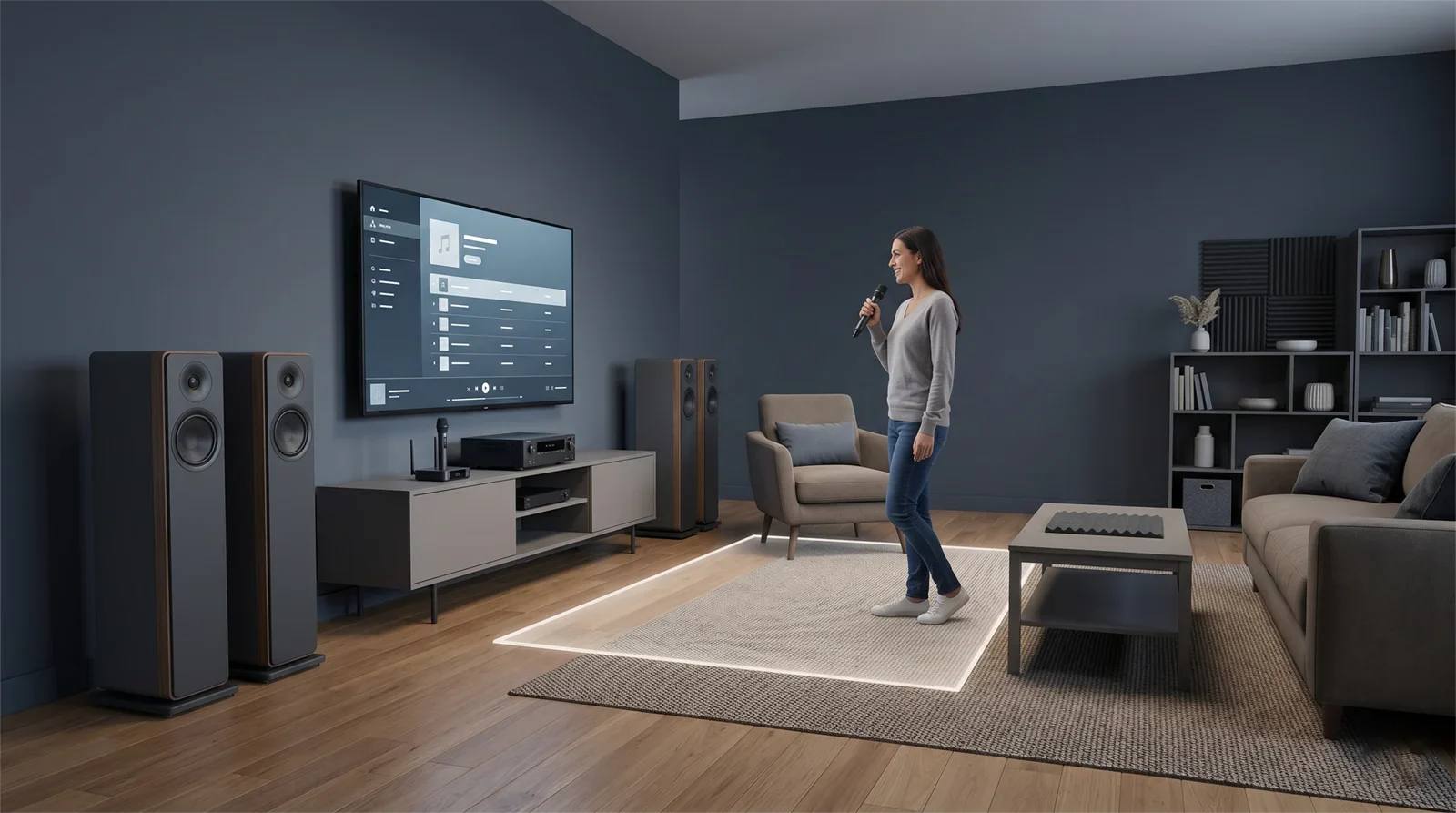
To stop microphone feedback in karaoke at home, reduce the mic level slightly, move singers behind the speaker line, keep microphones aimed at the mouth instead of the speakers, mute unused microphones, and use lighter echo or reverb while testing. Feedback is usually a room-and-signal-loop problem, not a mysterious equipment failure.
Confirm the Exact Symptom First
Before changing settings, make sure you are actually hearing feedback. Home users often call several different problems “feedback,” even when the symptoms are not the same.
True microphone feedback usually has one of these patterns:
- A sudden high-pitched squeal when the microphone gets too close to the speaker.
- A ringing tone that appears when the mic level is pushed slightly too high.
- A howl that builds when the singer turns toward the speakers.
- A system that sounds stable at first, then becomes unstable when the vocalist sings louder.
- A problem that gets worse when extra microphones are left open.
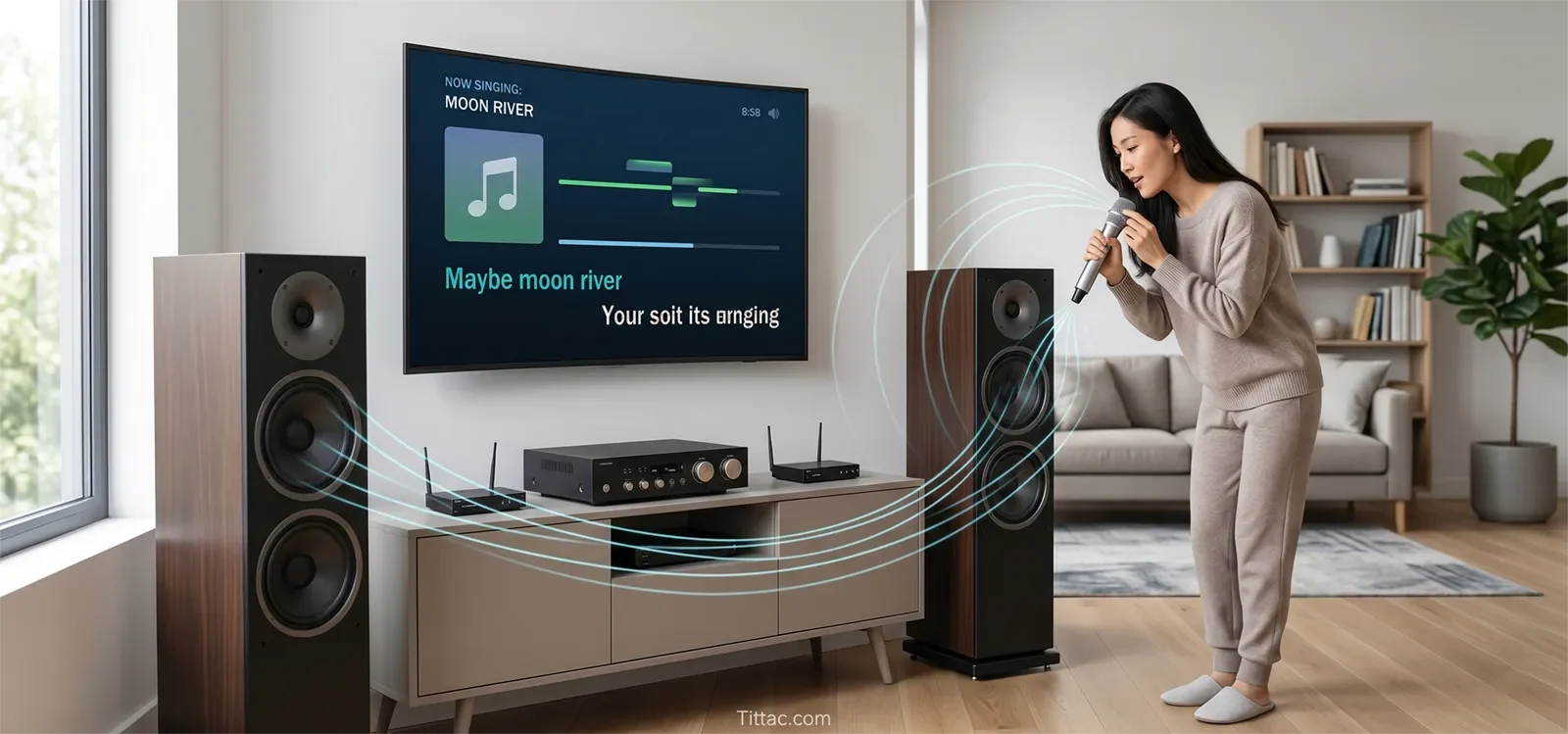
If that sounds familiar, the system is likely creating a sound loop. The microphone is picking up the speakers, sending that sound back into the karaoke system, and amplifying the same sound again.
This first step matters because the wrong diagnosis leads to the wrong fix. A weak vocal, distorted sound, wireless dropout, or muddy echo problem can all sound unpleasant, but they should not be fixed the same way. Turning up the microphone to solve unclear vocals can make real feedback worse. Swapping microphones may not help if the speaker is aimed directly into the singer area.
In home karaoke, the fastest troubleshooting often begins with naming the symptom correctly.
Most Common Causes
For most homes, microphone feedback comes from a combination of room layout, mic handling, and aggressive settings. It is usually not caused by one broken component.
The Speakers Are Aimed Toward the Microphone Area
If the singer stands in front of the speakers, or if the speakers fire directly toward the microphone area, the system is already close to instability. Even a good microphone becomes difficult to control when it hears the speaker output as clearly as the singer’s voice.
If feedback keeps coming back after basic adjustments, review How to Position Speakers for Karaoke. Speaker direction is one of the most important long-term fixes.
The Microphone Is Being Handled Poorly
Feedback often gets worse when singers point the microphone toward the speakers, hold it too far from the mouth, cup the microphone grille, or wave the mic around between lines. These habits make the microphone behave less predictably.
The Mic Level Is Too Hot for the Room
Mic level does not need to be extremely high to create feedback. Sometimes it is only slightly too strong for the speaker position and room reflections. When the room is close to the edge, one louder note can trigger the loop.
Music and Master Volume Are Pushing the Room Too Hard
If the music is too loud, singers often ask for more microphone volume. Then the master volume goes up too. The system becomes louder, but also less stable. Feedback is often the result of several controls pushing the room over the limit together.
Echo, Reverb, or EQ Boosts Are Too Aggressive
Heavy echo, long reverb, boosted upper mids, or sharp treble can make a borderline setup more sensitive. A system may sound fine when someone speaks casually, then start ringing once the singer gets louder and the effects keep the vocal signal alive longer.
The Room Is Too Reflective
Hard walls, tile floors, glass, bare rooms, and open living spaces can throw sound back toward the microphone. That does not mean the room is unusable. It means the setup has less margin before feedback starts.
In many homes, feedback is the result of several small issues happening together. That is why solving it works best with a clear order instead of grabbing random knobs and hoping one of them helps.
Step-by-Step Fix Order
The best way to stop karaoke feedback is to use the same fix order every time. A repeatable process helps you avoid changing five things at once and losing track of what actually improved the room.
1. Reset to a Safer Starting Point
Lower the mic level slightly, reduce heavy echo or reverb, and mute any extra microphones that are not being used. This gives the system a calmer baseline before deeper testing.
2. Fix the Physical Layout First
Make sure the singer is behind the speakers, not in front of them. Check that no speaker is aimed directly into the microphone area. If the layout is wrong, knob adjustments may only hide the problem temporarily.
3. Check Mic Handling Honestly
Hold the microphone at normal singing distance and aim it toward the mouth. Do not point it toward speakers. Do not cup the grille. Do not hold it far away and then compensate by raising mic gain.
Good mic technique is not only for professionals. In home karaoke, it is one of the easiest ways to reduce feedback without changing the whole system.
4. Raise the Mic Level Slowly
After placement and mic handling are improved, raise the mic level a little at a time while speaking or singing at normal strength. Stop when the system starts to feel tense or close to ringing.
The goal is not to find the loudest possible setting. The goal is to find the highest comfortable point the room can support without becoming unstable.
5. Add Effects Back Carefully
Bring echo and reverb back in small amounts. If the system stays smooth, keep the setting moderate. If feedback returns, the room has less effect margin than expected. Cleaner and lighter often works better than wetter and louder when live microphones are involved.
6. Test One Variable at a Time
If the problem remains, change only one thing at a time: speaker angle, singer position, microphone position, mic level, or a small EQ correction. Do not change everything together. Structured testing shows which factor is actually driving the problem.
7. Recheck With Real Singing
A setup may seem stable during a quiet mic test but become unstable during real singing. Test with normal vocal energy and the music level your household actually uses.
If feedback appears along with wrong inputs, unstable routing, confusing gain structure, or multiple setup issues, review Common Karaoke Setup Mistakes to Avoid before making the system more complicated.
What to Check First
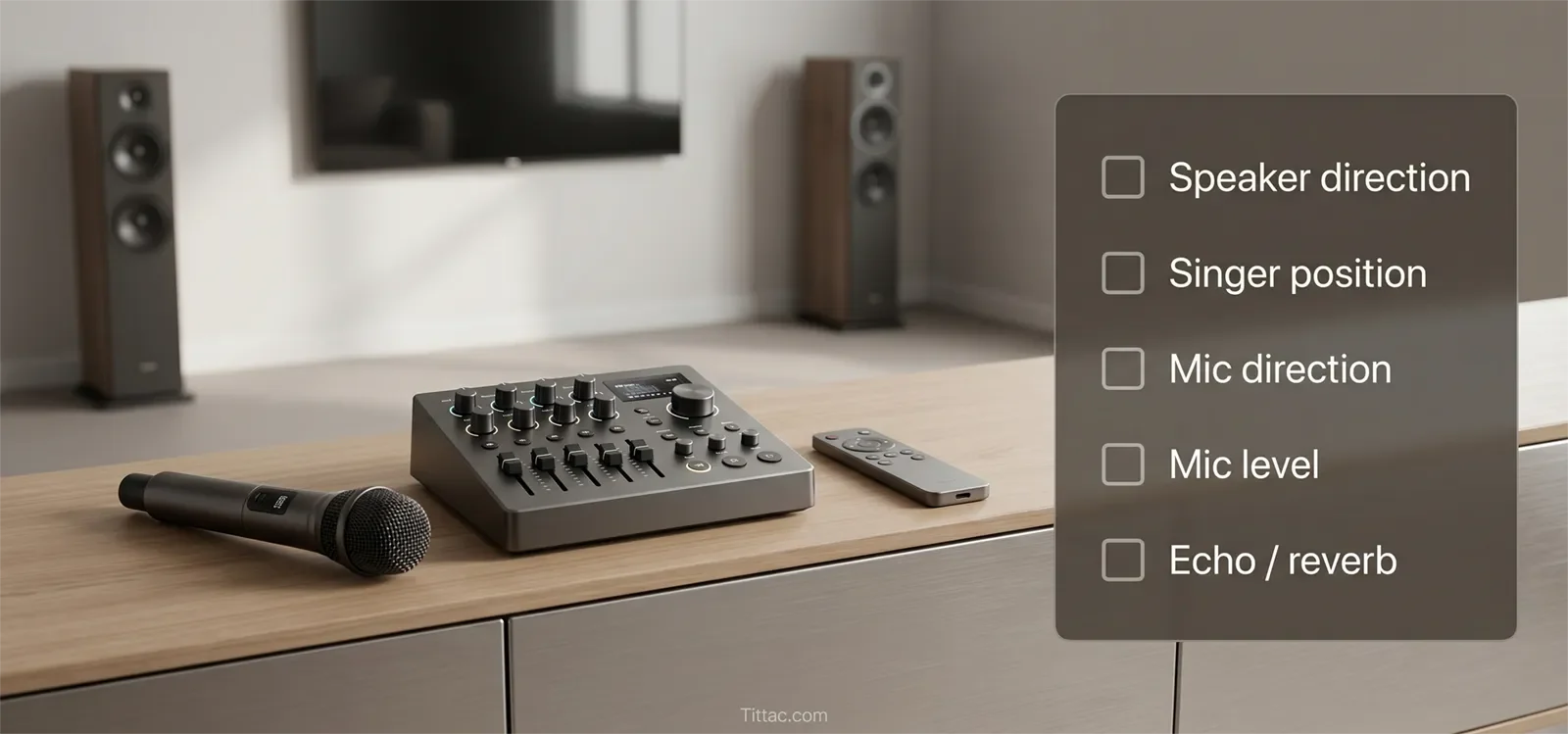
If the room starts squealing during karaoke, do not panic and start turning every control. Use this order first:
- Speaker direction: Are speakers facing the singer or microphone area?
- Singer position: Is the singer standing in front of the speaker line?
- Mic direction: Is the microphone pointed toward a speaker?
- Unused microphones: Are extra live mics sitting open in the room?
- Mic level: Is the microphone louder than the room can support?
- Effects: Are echo or reverb settings making the vocal tail too active?
- Room reflection: Are hard surfaces throwing sound back into the mic?
This order works because it checks the biggest feedback triggers first. Placement and mic handling usually matter before fine tuning. Settings help polish the result after the main sound loop has already been weakened.
When the Problem Is Actually Somewhere Else
Sometimes a room seems to have a feedback problem, but the real issue is slightly different. That matters because the wrong diagnosis leads to the wrong solution.
If the singer says the vocal is hard to hear but the system is not squealing, the real issue may be low microphone level rather than feedback. In that case, lowering everything will only make the experience worse. The better next step is to check vocal balance and mic structure more carefully.
If the room becomes unstable only when several microphones are active, the core issue may not be a single-mic feedback problem. Extra open microphones increase room pickup and reduce your margin for error. A setup can feel fine with one singer and become much harder to control once three or four microphones are live.
If the sound feels jumpy, inconsistent, or strange in a way that comes and goes, the room may be mixing real feedback with another issue like wireless dropout or unstable signal behavior. Do not keep turning down the entire system blindly. Separate the symptoms and test them one at a time.
The useful clue is this: true feedback reacts strongly to placement, microphone angle, and gain. If moving the singer behind the speakers, lowering the mic level slightly, and reducing effects improves the problem quickly, you are likely dealing with real feedback. If it does not respond that way, another issue may be hiding underneath.
Conclusion
Microphone feedback feels worse than it really is because it arrives suddenly and loudly. But the fix is usually practical: break the sound loop, improve speaker direction, use better mic handling, lower risky levels, and add effects back carefully.
The best home karaoke setup is not the loudest one. It is the one that stays clear, stable, and easy to use without constant adjustment. Once you follow the same fix order every time, feedback becomes easier to predict, reduce, and prevent.
Build a cleaner home karaoke setup before feedback starts.
See the Step-by-Step Home Karaoke Setup Guide
Frequently Asked Questions
Does feedback always mean the microphone is bad?
No. In most home karaoke setups, feedback means the microphone is hearing the speakers too easily. A weak or poorly matched mic can make control harder, but placement, gain, and handling usually cause more problems than outright microphone failure.
Why does feedback seem worse when I add more echo?
Echo and similar effects keep the vocal signal active longer in the mix. When the room is already unstable, those repeats give the speakers more chances to send sound back into the microphone and restart the loop.
Are wireless microphones more likely to squeal than wired microphones?
Not automatically. Feedback is mostly about acoustics, positioning, and gain structure. Wired and wireless microphones can both feed back in the same room. Wireless microphones simply allow more movement, which can make poor positioning easier.
What is the safest way to test feedback fixes?
Start with lower mic level, make one change at a time, and raise the volume slowly while speaking or singing at a normal distance. Controlled testing helps you identify what actually helped.
Can speaker placement fix microphone feedback?
Yes, speaker placement is one of the most important fixes. Keeping singers behind the speaker line and avoiding speaker aim toward microphones can reduce feedback risk before deeper sound adjustments are needed.
Should I turn down the microphone or the master volume first?
Lower the microphone level slightly first if the feedback is clearly triggered by the mic. If the whole room is too loud and unstable, lower the master volume too. The safest fix is usually a small mic-level reduction combined with better placement.










