
The fastest way to troubleshoot most home karaoke problems is to identify the symptom first, then test in order: source and power, music path, microphone path, room interaction, and finally tuning. In most homes, karaoke problems come from one broken step in the chain, not from the whole system suddenly being bad.
Written by Toan Ho — Tittac editorial team.
This guide is for home users who want one practical troubleshooting page they can return to when something feels off. It is an umbrella troubleshooting guide, not a buying guide and not a deep technical article. The goal is to help you identify the symptom first, test the system in the right order, and stop making the problem worse by changing too many things at once. If you want the broader setup picture before troubleshooting, start with the Step-by-Step Home Karaoke Setup Guide.
Table of Contents
Fastest Triage by Symptom
The biggest mistake home users make is treating every karaoke problem as one giant system failure. That usually leads to rushed changes, more confusion, and worse results. A better approach is to identify the main symptom first and test only the part of the system most likely to be responsible.
If the TV shows lyrics but no music reaches the karaoke system, start with the source path and input path. If the music works but the voice is weak, the problem is probably in the microphone side or the mic-to-music balance. If the room squeals or rings, the issue is more about placement, gain, or control than about basic connectivity. If singing feels awkward because the timing is off, the signal route may be too processed, too wireless, or too complicated. If the setup sounds rough, harsh, or strained, some stage is likely being pushed harder than it should be.
The simplest triage routine works well in most homes. First confirm the source is real and audible. Then test the music path by itself. Then test one microphone by itself. Then combine them at moderate level. Only after that should you start adjusting effects, EQ, or advanced routing choices. This order matters because karaoke is not just one signal. It is at least two paths working together: music and microphone. If you blur those tests together, it becomes much harder to see where the problem actually begins.
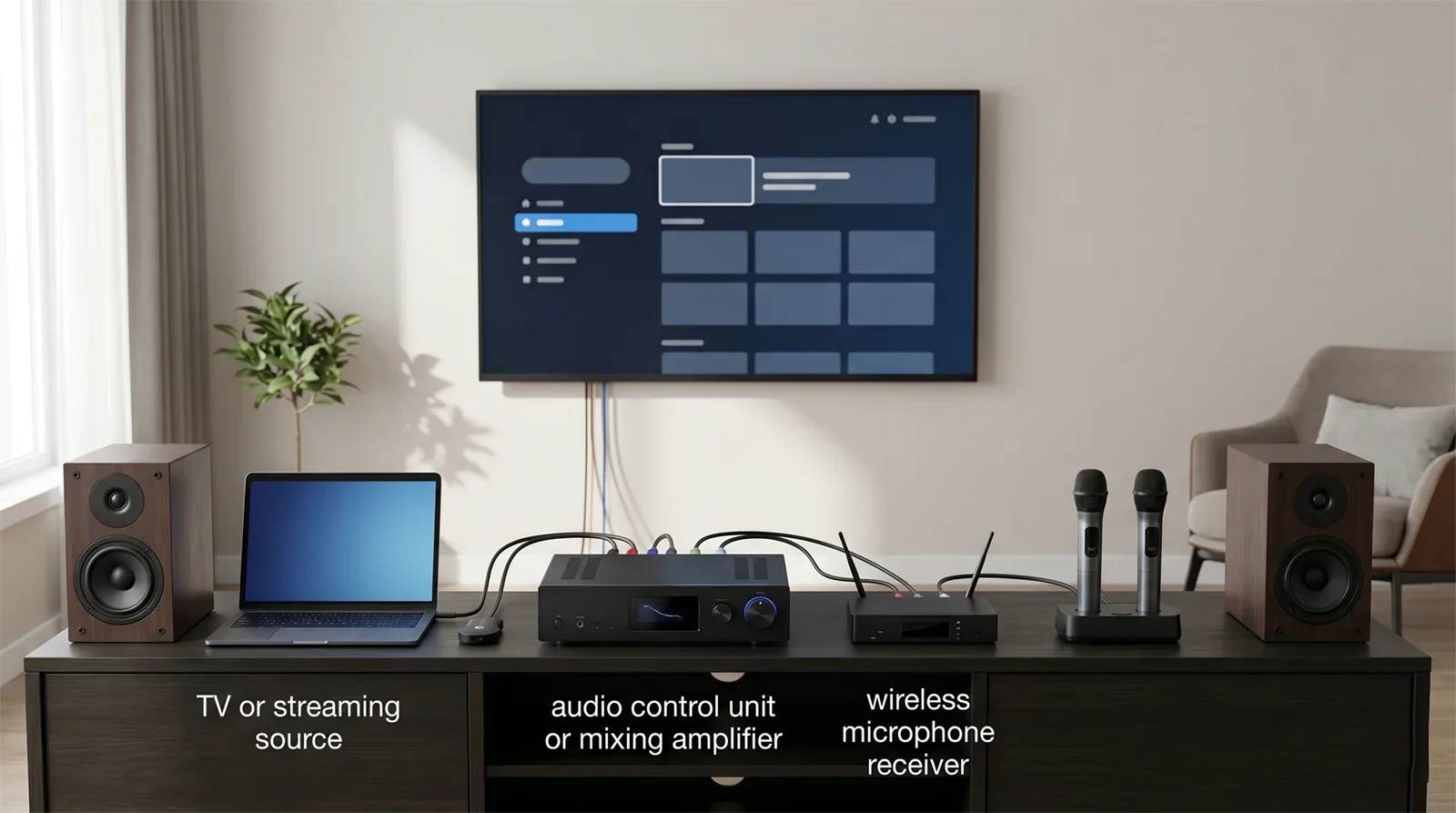
You should also watch for “secondary symptoms.” A user may say, “My karaoke system sounds bad,” when the actual problem is weak vocals. Someone may blame feedback when the microphones are simply being handled carelessly in a difficult room. Another user may call everything “delay” even though the real problem is a messy TV audio route. Triage works because it turns vague frustration into one fixable category at a time.
No Sound Problems
No sound is one of the most common karaoke complaints, and it usually feels more dramatic than it really is. In most home setups, total silence does not mean the whole system has failed. It usually means the signal is not reaching the karaoke system the way you think it is.
The first question is whether the source is actually producing audio. If the TV, phone, streaming device, or tablet is not sending sound out correctly, the karaoke system never gets a fair chance to work. The next question is whether the karaoke amp, mixer, or receiver is listening to the correct input. A cable can be connected properly while the system is still set to the wrong source from the previous session.
For most homes, the quickest fix order is simple. Confirm the content source is active. Confirm the karaoke system is powered on. Confirm the receiving device is on the correct input. Re-seat the cable. Then test one clean source path instead of leaving several possible routes active at once. Silence becomes much easier to solve when you stop guessing which path is supposed to be carrying the sound.
If the problem is specifically that the TV picture works but the karaoke system stays silent, the next step is No Sound from TV to Karaoke System. That symptom usually needs more focused troubleshooting than a general no-sound checklist.
The key idea is that no sound problems are often path problems, not equipment-death problems. Treat the setup like a chain and find the missing link instead of assuming the entire system is bad.
Weak Vocals and Low Mic Level Problems
Weak vocals are one of the most misunderstood karaoke problems because the system can appear to be working normally while the singer still feels buried, distant, or thin. Music plays. The room has sound. But the voice never sits where it should.
In many homes, this is not a true microphone failure. It is a balance failure. The music may be too dominant, the mic level may be too low, the singer may be too far from the microphone, or the vocal may be getting lost behind too much effect. Users often respond by turning everything up, but that usually creates a harsher room without actually bringing the singer forward in a clean way.
The fastest check is to test one singer, one microphone, and one familiar song. Lower the music a little before raising the mic aggressively. That one move often reveals whether the voice is truly weak or simply being covered. Then check mic technique, battery or cable condition, receiver status if wireless, and the basic microphone path. If the direct vocal is not clear enough, no amount of extra echo will make the system feel comfortable.
It also helps to separate weak vocals from unstable vocals. A weak vocal may stay consistently low. An unstable vocal may drop in and out, which points more toward wireless issues, poor receiver placement, or another kind of connection problem. The better you name the symptom, the faster the fix becomes.
For most households, the solution is not “make the mic huge.” It is “make the voice easier to hear without forcing the system.” A good karaoke vocal should feel present, stable, and easy to follow while the music still sounds natural around it.
Feedback, Echo, and Distortion Problems
These three symptoms often get mixed together, but they are not the same thing. Feedback is a looping squeal or ringing problem. Echo problems are about vocal effect feeling too wet, too dry, or too messy. Distortion is when the sound becomes rough, strained, or broken because one stage is being pushed too hard.
Feedback usually happens when the microphone can hear too much speaker sound, the mic gain is too high, or the room makes the singer and speakers too hard to separate. Echo problems usually happen when users try to make the vocal feel bigger before the dry vocal is balanced properly. Distortion usually happens when several levels are pushed together until one part of the chain breaks first.
The practical fix order is to reduce the room’s stress before you add more energy. Move the mic zone into a safer relationship with the speakers. Lower mic level before pushing the music or the master output harder. Bring heavy effects back toward a moderate baseline. Then test again with a real song, not just a quick spoken phrase. This matters because a karaoke setting can sound impressive for a moment while still making the system harder to sing with.
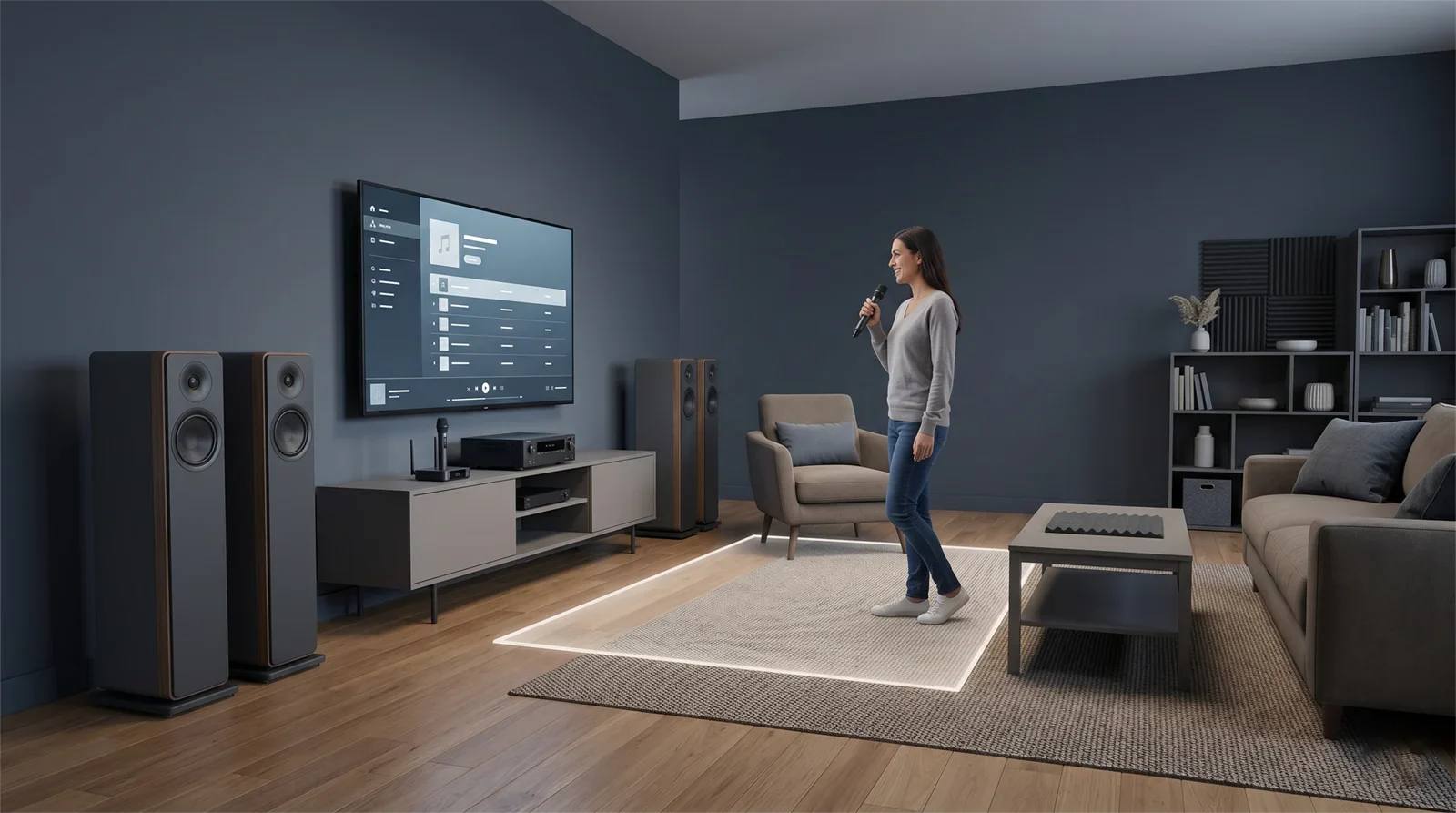
If the room is squealing, do not keep chasing it with random tone changes. Start with placement, mic handling, and gain discipline. The best focused next step for that symptom is How to Stop Microphone Feedback.
The biggest beginner mistake in this category is trying to solve clarity with more intensity. More treble, more echo, more volume, and more aggression can make the system feel bigger for a few seconds, but often at the cost of control. In most homes, the better result comes from a cleaner, calmer baseline and smaller adjustments made in the right order.
Delay, Wireless, and Connection Stability Problems
Some karaoke problems are not about tone at all. They are about timing and consistency. These are the issues that make the session feel unreliable even when the room is not especially loud or harsh.
Delay usually shows up when the beat, lyrics, and singing no longer feel naturally aligned. In most homes, that problem starts in the playback route rather than in the microphone alone. A TV, wireless handoff, processing layer, or overly complicated signal path can make karaoke feel wrong even when the setup still produces sound. That is why a casual movie path is not always a good karaoke path.
Wireless instability usually shows up as microphone dropouts, inconsistent behavior, or a system that works in one position but not in another. This often comes from batteries, receiver placement, distance, room clutter, or a wireless environment that is more demanding than users realize. The mistake many people make is assuming that a mic that turns on is already ready for a stable session. In real use, stability only matters when people start moving, singing, and handing microphones around.
Connection stability problems often come from role confusion. Too many devices are trying to handle too many jobs. The TV is partly in charge, the source device is partly in charge, Bluetooth is doing one part, and the karaoke system is doing another. That kind of chain may work sometimes, but it becomes harder to trust and harder to repeat.
The cleanest fix is usually simplification. Use one main source, one clear audio route, one stable receiver area, and one set of expectations about how the system should behave. Karaoke becomes much easier to enjoy when the setup behaves the same way every time instead of “sometimes working” depending on which device was last touched.
Which Issue to Fix First
When several problems show up at once, do not try to fix them in parallel. Some problems are upstream and some are downstream. If you fix them in the wrong order, you can waste time or create a new problem while chasing the old one.
First fix the path problems. No sound, wrong input, wrong TV output, or total connection confusion comes first because nothing else matters until the signal is reaching the system correctly. After that, fix basic microphone function. If the mic path is weak, unstable, or inconsistent, the whole karaoke experience becomes hard to judge accurately.
Next fix the room-control problems: feedback risk, bad singer position, speaker relationship, and obvious handling habits that make the room fragile. Only after the system is stable should you spend time refining balance, echo, brightness, or the overall feel of the vocal. Tuning a system that is still unstable is usually just wasted effort.
This order works because clarity depends on stability. If the source path is wrong, no amount of EQ matters. If the microphone path is weak, no amount of echo solves it cleanly. If the room is already on the edge of feedback, pushing the mix harder only makes everything less useful. The right fix order gives you a setup that is easier to trust before you start trying to make it sound more polished.
When to Stop Tweaking and Simplify the System
One of the most valuable troubleshooting skills in home karaoke is knowing when the next “small adjustment” is no longer helping. Many users stay stuck because they treat every symptom like something that can be solved by one more menu change, one more cable, one more effect tweak, or one more routing idea.
If the setup only works when you remember a long sequence of special steps, it is probably too complicated. If the room becomes unstable every time more people join, it may need a simpler operating pattern rather than more aggressive tuning. If the TV route only works sometimes, the signal path may need to be shortened instead of endlessly reconfigured. If the sound only feels exciting when the system is being pushed close to discomfort, the problem may be matching and control rather than a missing setting.
Simplifying does not mean giving up. It means removing one possible failure point at a time until the system becomes easier to repeat. In most homes, that leads to better long-term karaoke than an ambitious setup that feels clever but behaves inconsistently. The best home karaoke system is not the one with the most options. It is the one that stays clear, stable, and easy to use when real people start singing.
Conclusion
Most karaoke problems are easier to solve once you stop treating them like one giant mystery. The fastest progress usually comes from identifying the main symptom, testing the music path and microphone path separately, and fixing the chain in the right order before chasing finer tuning decisions.
For most homes, the best troubleshooting habit is also the simplest one: make one change at a time and keep the setup easier to repeat after each fix. A good home karaoke system should become more stable, more predictable, and easier to enjoy the longer you own it. If troubleshooting keeps making the room more complicated, that is usually a sign to step back and simplify.
If karaoke problems keep returning, the next step is not another random adjustment.
It is rebuilding the whole setup in a cleaner order so the system becomes easier to trust every time you use it.
Frequently Asked Questions
What is the fastest way to troubleshoot a karaoke system at home?
The fastest method is to check the system in layers. Confirm the source and power first, then test the music path by itself, then test one microphone by itself, then combine them at moderate level. This helps you find where the problem starts instead of changing several parts of the system at once.
Why does my karaoke setup seem to have multiple problems at the same time?
Because one upstream problem often creates several downstream symptoms. A messy signal path can create silence, delay, or unstable behavior. A weak mic path can lead users to overpush echo or volume. The best approach is to fix the most basic path or stability problem first, then judge the rest again afterward.
Should I adjust echo and EQ while I am still troubleshooting?
Usually only after the source path and microphone path are working correctly. If you start tuning before the system is stable, you can end up hiding the real problem instead of solving it. Moderate settings are better during troubleshooting because they make the true symptom easier to hear.
When should I stop troubleshooting and rebuild the setup more simply?
Stop and simplify when the system only works inconsistently, depends on too many special steps, or becomes harder to use after each adjustment. In most homes, a cleaner path and a more repeatable routine produce a better real-world result than a more complicated setup that needs constant rescue.










