
Managing multiple karaoke microphones without feedback starts with control, not volume. Keep only the microphones you need active, place singers behind the speaker line, use moderate mic and effect settings, and add microphones one at a time so you know exactly when the room becomes unstable.
Who this guide is for: Home karaoke users who notice that the system sounds stable with one microphone, but becomes squealy, ringy, muddy, or harder to control when two, three, or four microphones are active.
How this guide was prepared: This guide focuses on one setup problem only: keeping multiple karaoke microphones stable in a home room. It is based on common group-singing symptoms, practical mic placement habits, and the order in which feedback problems should be tested before changing more settings.
Running several karaoke microphones at home is different from running one solo microphone. Every open mic gives the room another chance to pick up speaker sound and send it back into the system. A setup that feels fine for one singer can quickly become unstable once a duet turns into three or four live microphones.
The goal is not to make every microphone louder. The goal is to keep the room predictable. If you want the broader setup picture before troubleshooting this exact issue, start with the Step-by-Step Home Karaoke Setup Guide.

Table of Contents
Quick Answer
To manage multiple karaoke microphones without feedback, start with one stable microphone, place singers behind the speaker line, keep unused microphones muted or out of the live mix, use moderate mic and effect settings, and add each extra microphone one at a time. In most homes, multi-mic feedback improves faster when mic handling, singer position, and open-mic discipline improve—not when everything is turned louder.
Confirm the Exact Symptom First
Before adjusting settings, confirm whether the problem is true multi-microphone feedback or a messy group vocal. Home users often call several different issues “feedback.” Sometimes the room is truly ringing or squealing when more microphones are turned on. Other times the vocals simply become unclear, muddy, or harder to understand once several people sing together.
That difference matters. If the room makes a sharp ringing sound, the system is probably recapturing speaker sound too easily. If the vocal only becomes confused when several people sing at once, the issue may be balance, mic handling, too much echo, or poor singer position rather than a classic feedback loop.
Use a simple test. Start with one microphone and one familiar song. Get that mic stable first. Then add the second microphone while keeping singers in roughly the same safe area. If the room becomes noticeably more sensitive right away, the problem is likely real multi-mic instability.
If the sound only gets worse when people wander in front of the speakers, point microphones around the room, swing mics during handoff, or leave active mics sitting unused, the problem is partly behavior. In that case, a cleaner operating pattern may help more than a major equipment change.
This first step saves time because it keeps you from blaming the whole system when the real issue is more specific: too many open mics, poor singer position, aggressive settings, or a room that becomes fragile as soon as the mic count rises.
Most Common Causes
Once you confirm the symptom, the main causes are usually easy to narrow down. In most homes, feedback gets worse with multiple microphones because the system is picking up more of the room at the same time.
Too Many Microphones Are Open
Every live microphone adds more room pickup. Even if only one person is actively singing, extra open microphones can still capture speaker sound, room reflections, background noise, and movement. That makes the system easier to trigger.
Singers Move in Front of the Speakers
A setup that seems stable during testing can become much less stable when singers drift in front of the speaker line. With multiple wireless microphones, people naturally move more, turn around, and hand microphones to others. That movement increases feedback risk.
Mic Handling Becomes Less Disciplined
One singer may hold the mic correctly while another points it down, swings it during a handoff, holds it at chest level between lines, or points it toward a speaker. Those habits may not ruin a solo setup, but they add up fast when several microphones are live.
Mic Gain and Effects Are Too Aggressive
Settings that feel acceptable for one singer may become too much when several microphones are active. High mic volume, heavy echo, and strong reverb can make the room feel bigger at first, but they also make the system less stable. If your baseline setup already rings with one mic, fix that first with How to Stop Microphone Feedback.
The Wireless Setup Is Disorganized
A messy wireless receiver area does not usually create classic feedback by itself, but it can make multi-mic sessions harder to manage. If microphones are not clearly assigned, charged, positioned, or tested, group singing becomes chaotic. If your wireless layout still feels confusing, review How to Connect Multiple Wireless Microphones.
The Room Is Too Reflective
Hard walls, tile, glass, and open living rooms can make multiple microphones harder to control. The system may not be set extremely loud, but the room adds enough reflection that each extra microphone pushes the setup closer to feedback.
The most important idea is this: two to four microphones do not behave like one microphone repeated several times. As the mic count rises, the room becomes more sensitive. The setup needs more discipline, not more loudness.
Step-by-Step Fix Order
The fastest way to manage multiple karaoke microphones without feedback is to build the system up in layers. This gives you a stable reference point and shows exactly when the room starts losing control.
1. Start With One Microphone Only
Before testing group singing, get one microphone sounding stable with normal music and moderate vocal settings. If one microphone is already close to feedback, adding more microphones will only make the room harder to manage.
2. Place Singers Behind the Speaker Line
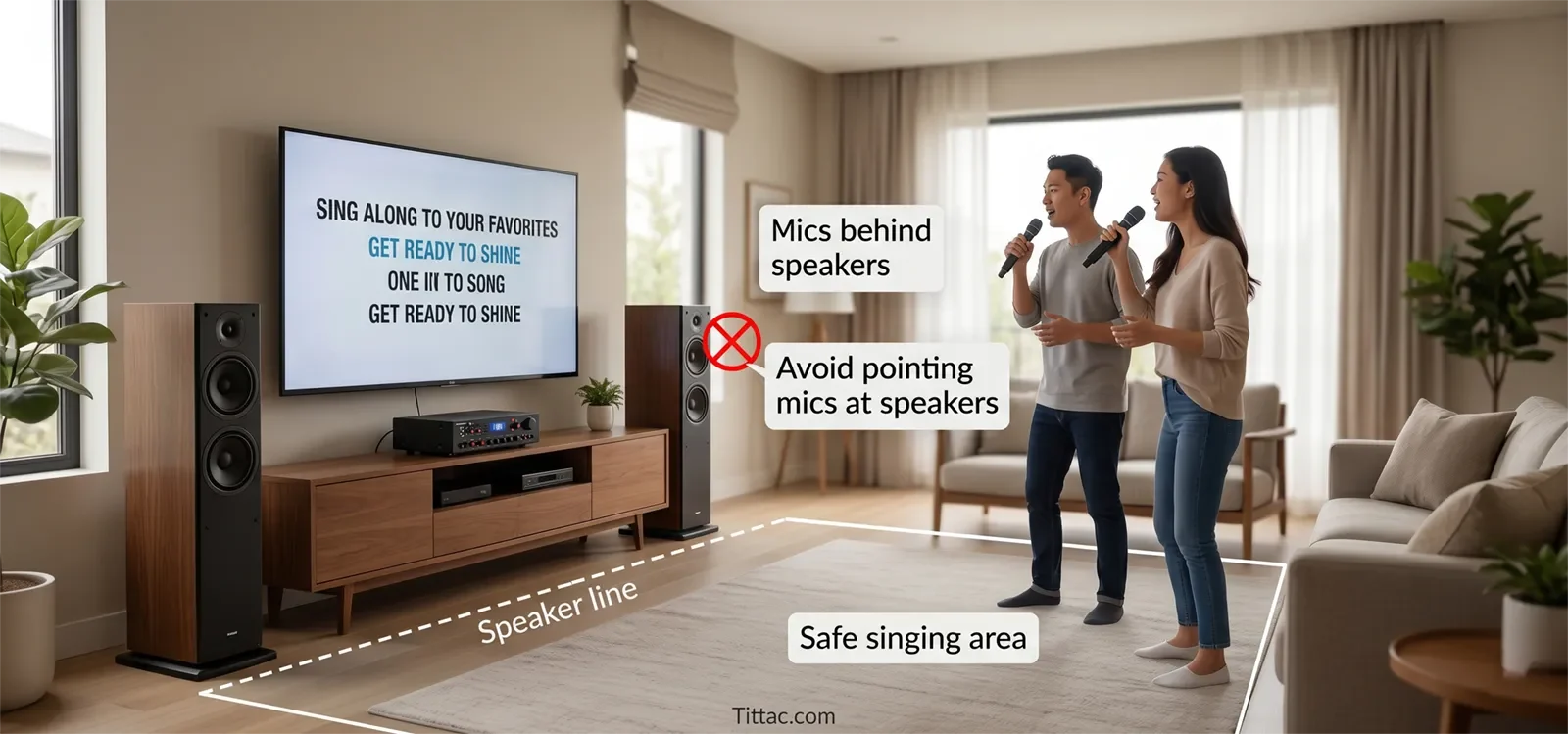
This is one of the biggest real-world improvements. Singers should stay behind or to the side of the main speaker direction, not directly in front of the speakers. A multi-mic setup works better when the room has a clear “safe singing area.”
3. Add the Second Mic and Retest
Open the second microphone without changing several controls at once. Listen for what changes. Does the room become sharper? Does the vocal feel less stable? Does feedback happen only when both microphones are pointed loosely? The goal is to identify the first real change instead of guessing.
4. Mute or Remove Unused Microphones
If the room becomes touchy, do not respond by turning everything louder. First make sure only the needed microphones are active. Unused microphones should be muted, turned off, or kept out of the live mix instead of sitting open between singers.
5. Use More Moderate Effects
Heavy echo or reverb can make group singing feel larger for a moment, but it also adds blur and makes the room less controlled. In multi-mic karaoke, cleaner vocal settings usually work better than dramatic ones.
6. Add Microphones One at a Time
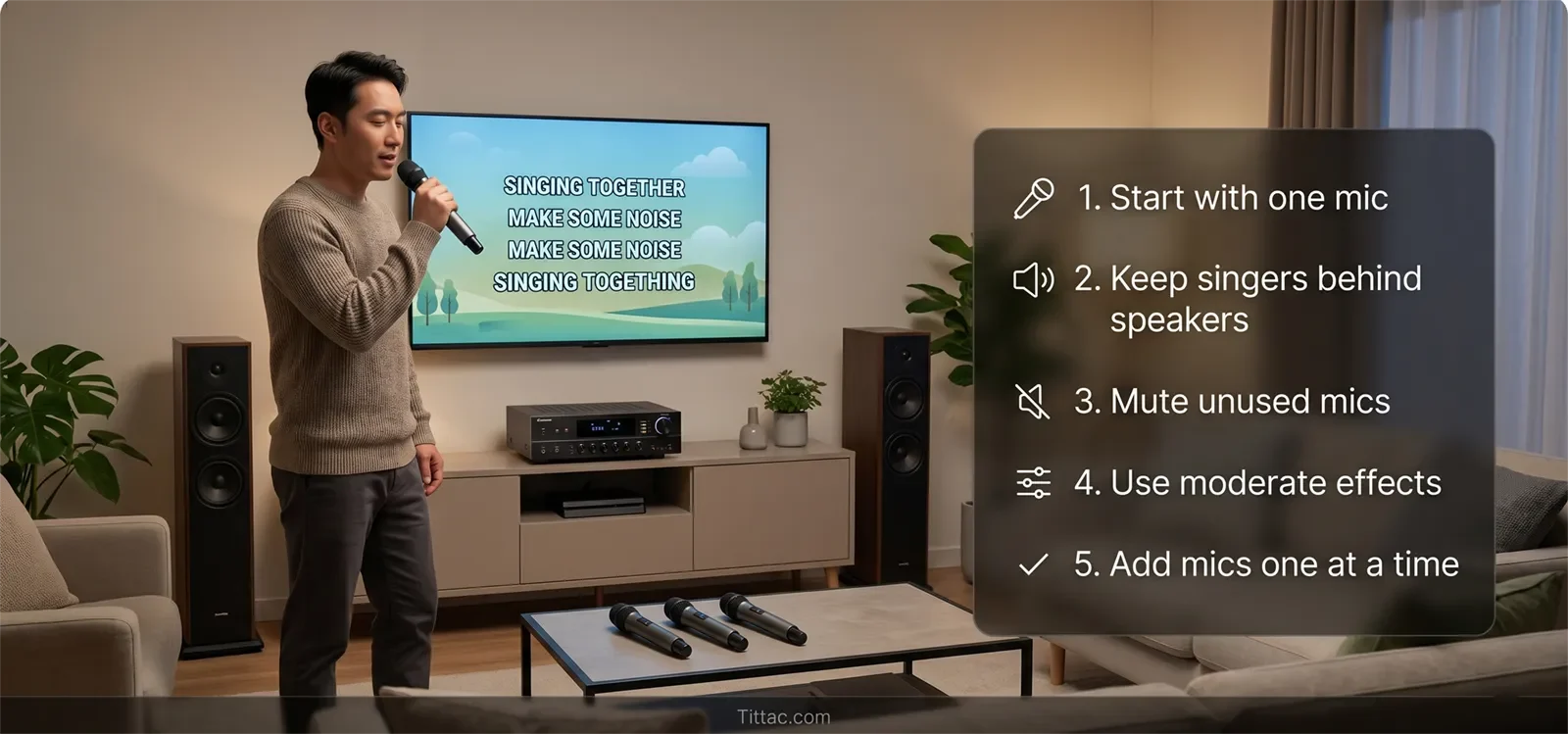
Do not jump from one microphone straight to four open microphones and then try to guess what went wrong. Add the third mic only after the first two feel stable. Add the fourth only if the room still feels under control.
7. Simplify Microphone Handoffs
Group singing often becomes unstable because microphones are passed around chaotically. Keep handoffs calm, keep active microphones pointed away from speakers, and avoid letting people hold open mics carelessly while waiting for their turn.
8. Lower the Overall Mic Level If the Room Feels Fragile
If the room keeps ringing as more mics are added, reduce the overall microphone level slightly before increasing music volume or effect. A small reduction can create more feedback safety without making the system feel weak.
9. Decide Whether All Four Mics Need to Stay Live
In many family karaoke setups, the most practical pattern is two main microphones plus one or two optional microphones used only for group moments. This keeps the room more stable without taking away the fun of duets or choruses.
This order works because it focuses on stability first. A good multi-mic setup should feel clear, repeatable, and easy to control. If the only way to survive four microphones is constant rescue adjustment, the setup is not truly stable yet.
How Many Mics Should Stay Open?
For most home karaoke rooms, two active microphones are easier to manage than four active microphones. That does not mean four microphones are wrong. It means all four should not always stay open for the entire session.
A practical home pattern looks like this:
- Use one or two microphones for most songs.
- Add a third microphone for duets, rotating singers, or group lines.
- Use the fourth microphone only when the room is still stable and the song truly needs it.
- Turn down, mute, or set aside microphones that are not being used.
This approach works especially well for family parties because it keeps the system fun without making the room fragile. People can still sing together, but the setup is not constantly fighting unnecessary open microphones.
If you are still deciding whether your home needs two microphones or four microphones, compare the practical difference here: 2-Mic vs 4-Mic Karaoke System.
When the Problem Is Actually Somewhere Else
Not every “multi-mic feedback” complaint is caused only by having multiple microphones. Sometimes the extra microphones simply reveal a weakness that was already in the room.
One common example is a solo setup that was already too aggressive. If one microphone is already near the feedback edge, the second or third microphone does not create the real problem. It exposes it faster.
Another example is poor speaker placement. A room may seem stable during a quick test, then become difficult once singers spread out and start using different positions. In that case, the problem is not just mic count. The speaker and singer layout needs to be more predictable.
The issue can also be operational. If microphones are left open while no one sings, handled wildly, or passed around without control, the room will feel worse even if the settings were reasonable. The fix is not only a knob change. It is better mic discipline.
There are also rooms that simply cannot support four open microphones comfortably. A small or reflective space may handle one or two singers well, then become fragile with a third or fourth active microphone. That does not automatically mean the gear is bad. It may mean the room needs a simpler operating pattern.
The practical takeaway is simple: if multiple microphones always seem to cause feedback, ask whether they are causing the problem—or just exposing speaker placement, mic level, room reflection, or handling habits that were already close to the limit.
Conclusion
Managing multiple karaoke microphones without feedback becomes easier when you stop thinking only in terms of volume. In most homes, the best results come from fewer unnecessary open microphones, better singer placement, calmer mic handling, and more moderate vocal settings as the mic count rises.
The right setup is the one that stays stable while still feeling fun to use. Build from one clean microphone upward, open extra mics only when needed, and keep the room predictable enough that group singing stays enjoyable instead of fragile.
If your family karaoke setup often involves duets, group choruses, or rotating singers, the next step is to match the microphone count to your room and singing style.
Compare 2-Mic vs 4-Mic Karaoke Systems
Frequently Asked Questions
Can I leave all four karaoke microphones on during the whole party?
You can, but it usually makes the room harder to control. If only one or two people are actively singing most of the time, leaving all four microphones open adds unnecessary room pickup and increases feedback risk.
Should every microphone use the same level setting?
Not always. Different singers use microphones differently, and some voices are naturally stronger or softer. The goal is not identical settings for every mic. The goal is a stable overall mix when multiple microphones are active together.
Why does the room get worse when the third microphone turns on?
That usually means the setup was already close to its limit before the third mic entered the mix. The third microphone adds more room pickup and more handling variation, so the weakness becomes obvious faster.
Are wireless microphones harder to manage in group karaoke?
They can be, mainly because people move more freely with them. That freedom is useful, but it also makes it easier for singers to walk into poor positions, point the mic carelessly, or create a chaotic room pattern.
Is feedback always caused by microphone volume being too high?
No. High mic volume can increase feedback risk, but speaker placement, singer position, room reflection, mic direction, open unused microphones, and heavy vocal effects can all contribute.
What is the easiest rule for family karaoke with multiple mics?
Keep only the microphones being used active. Most feedback problems become easier to manage when unused microphones are muted or turned off instead of staying open in the room.










