
The best streaming device for YouTube karaoke is the one that makes song search fast, playback stable, and the audio path simple once microphones are involved. For most home karaoke setups, a dedicated streaming box or a reliable streaming stick is usually better than depending only on a smart TV app or phone casting, especially if family members take turns choosing songs.
Written by Toan Ho — Tittac editorial team.
Who this guide is for: This guide is for home karaoke buyers who use YouTube for singing and want a streaming device that feels smooth in real living-room use, not just for watching movies or regular TV.
How this guide was prepared: This guide was prepared around the practical factors that matter most during YouTube karaoke sessions: search speed, shared control, playback stability, audio-path simplicity, delay risk, and long-term ease of use.
Not every good streaming device is automatically good for karaoke. A device can be excellent for movies, sports, or casual streaming but still feel awkward when people are searching for songs, switching tracks quickly, passing control around the room, and trying to keep the singing moving without interruptions.
For YouTube karaoke, the streaming device is not just a video accessory. It becomes part of the singing workflow. The right choice depends on how often your home sings, who controls the songs, whether the TV is the center of the setup, and how cleanly the audio connects to the rest of the karaoke system.
If you want the broader system view first, start with The Complete Guide to Home Karaoke Systems. Then use this guide to decide which YouTube streaming path fits your room and family routine best.
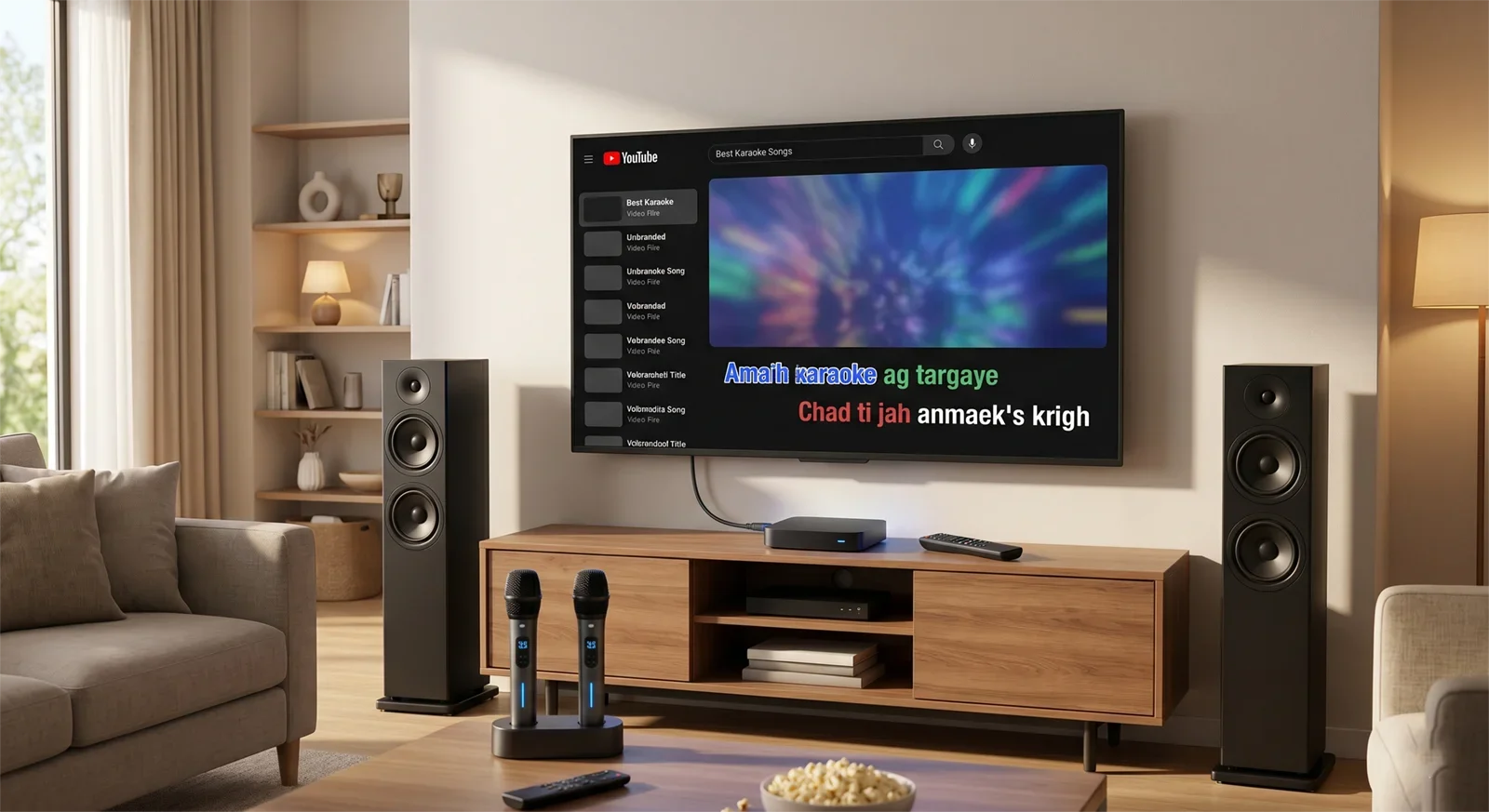
Table of Contents
- Quick Answer
- What Matters Most When Choosing a YouTube Karaoke Streaming Device
- Best Streaming Device Options by Home Use Case
- Budget, Room Size, and Setup Trade-Offs
- Common Buying Mistakes to Avoid
- How to Choose the Right Streaming Device in 60 Seconds
- Frequently Asked Questions
- Final Recommendation
Quick Answer
For most home karaoke setups, the best streaming device for YouTube karaoke is a dedicated streaming box or a reliable streaming stick connected to the main TV. These options usually give a cleaner shared-screen experience, easier repeat use, and a more predictable setup than relying only on phone casting or a smart TV app.
Choose a dedicated streaming box if karaoke is a regular activity, several people take turns choosing songs, and you want a stable TV-based setup. Choose a streaming stick if you want a simple, compact device with less clutter. Use a smart TV app only if your setup is very minimal and the app feels smooth during real karaoke use. Use phone or tablet casting if sessions are casual and fast mobile search matters more than shared control.
The best choice is not always the most expensive device. It is the device that keeps YouTube easy to search, keeps lyrics visible on the main screen, and avoids creating timing, control, or connection problems once the microphones are on.
What Matters Most When Choosing a YouTube Karaoke Streaming Device
Search Speed Matters More Than Fancy Features
YouTube karaoke depends on fast searching. During a real session, people do not just open one video and watch for an hour. They search, change songs, skip versions, compare keys, look for duet tracks, and queue the next song while someone else is singing.
That is why a device that feels fine for movies may feel slow for karaoke. A weak remote, clumsy on-screen keyboard, laggy YouTube app, or awkward voice search can interrupt the room. For karaoke, smooth song search is one of the most important features.
Shared Control Changes the Whole Experience
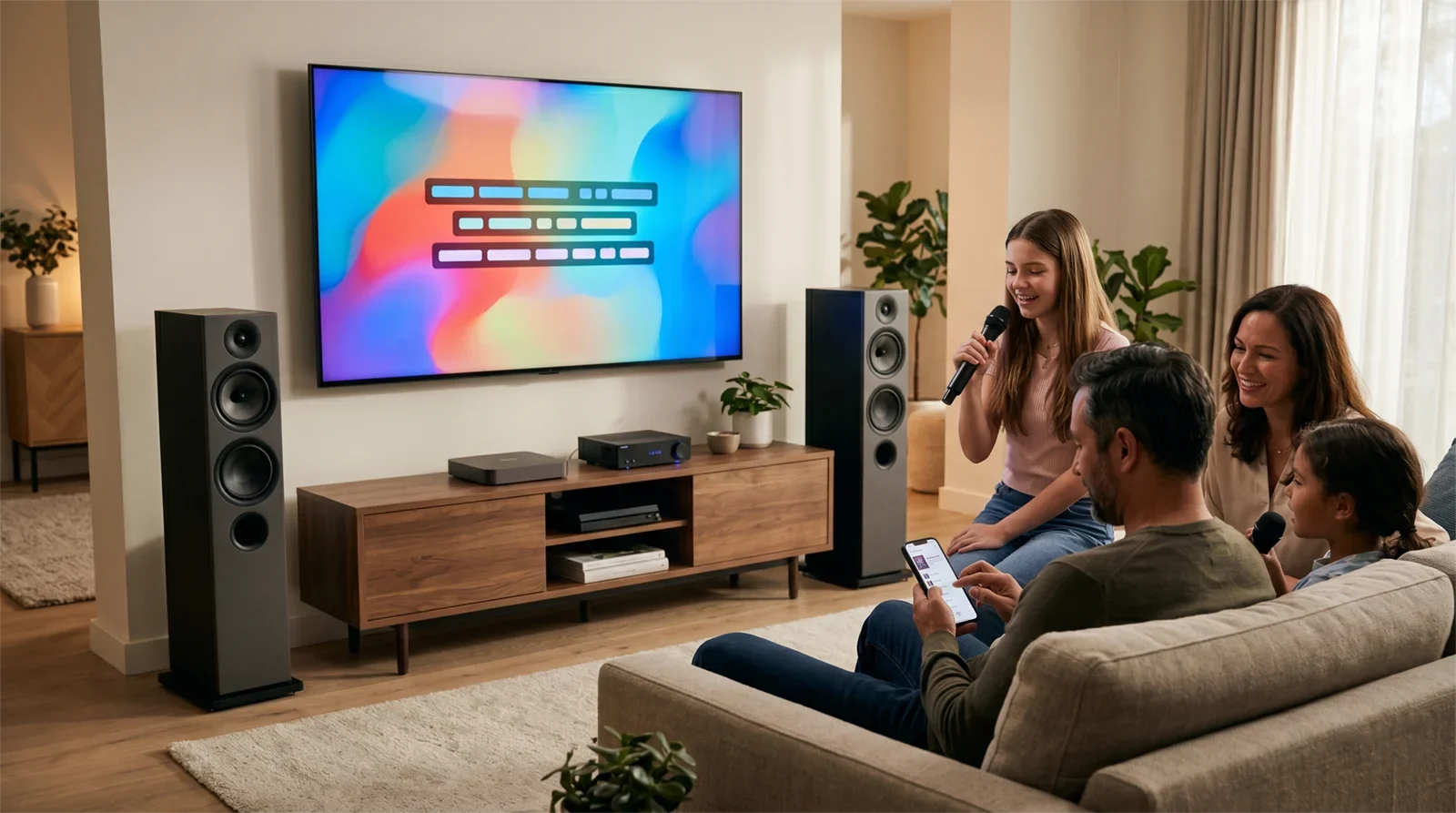
Karaoke is usually more fun when the room can share the experience easily. If one person’s phone controls everything, the session may move quickly at first, but the flow can break when that person gets a call, leaves the room, loses battery, or becomes the only “DJ” for the whole night.
A TV-based streaming device keeps the karaoke session centered on the screen. Everyone can see what is playing, what is coming next, and where the lyrics are. For family use, parties, and Vietnamese home karaoke gatherings, shared control is often more important than having the fastest possible typing method.
Playback Stability Becomes More Important During Long Sessions
A short test does not always reveal whether a streaming device is good for karaoke. Many problems show up only after longer use: app lag, random disconnections, remote delays, unstable casting, or audio that feels slightly late once singing begins.
If karaoke happens often in your home, stability is worth more than extra features you may never use. A reliable streaming path should feel repeatable: turn on the TV, open YouTube, search songs, play lyrics, and send audio through the system without rebuilding the setup every time.
The Audio Path Must Stay Simple
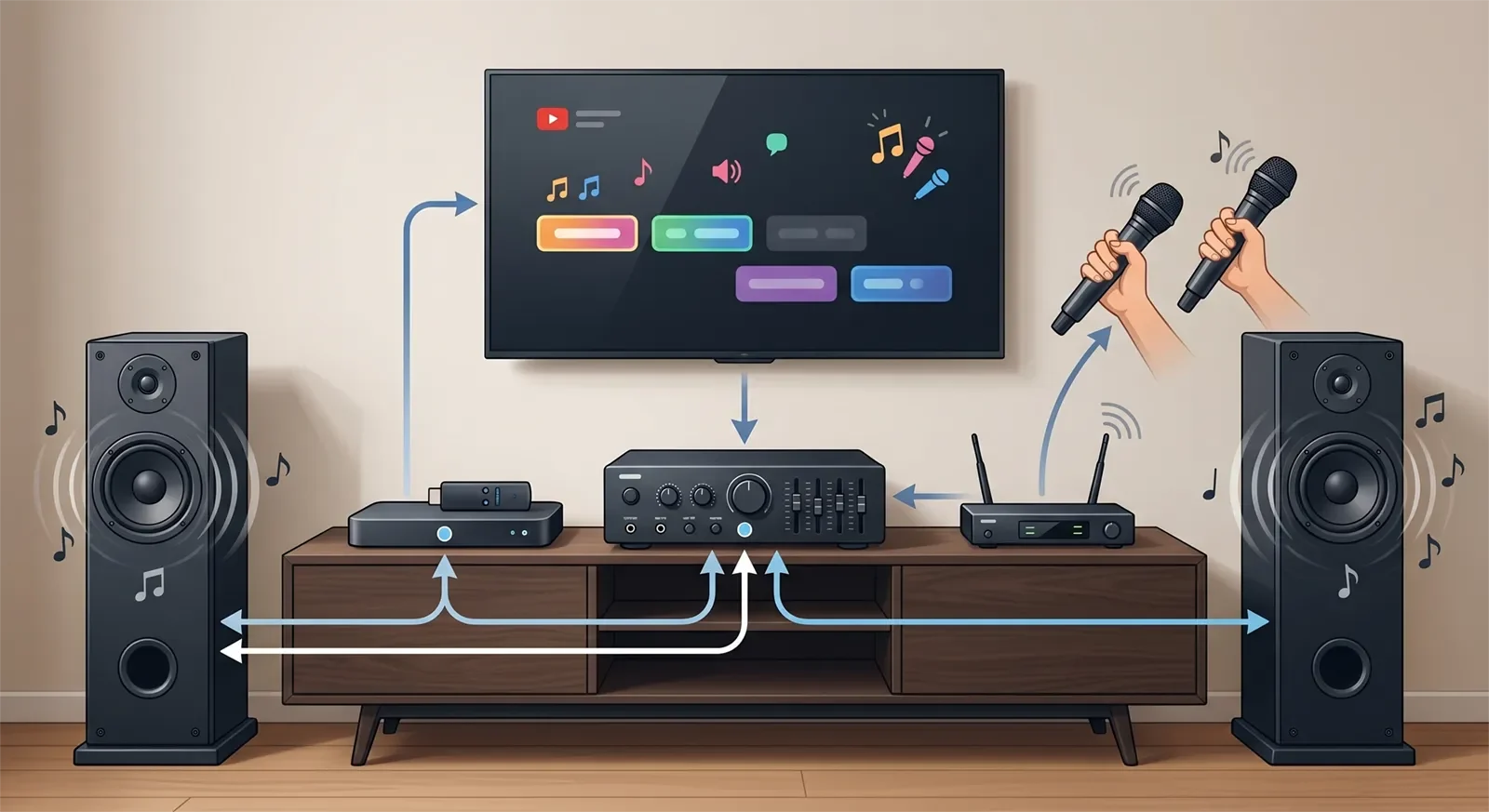
The streaming device is only one part of the karaoke signal chain. The sound may travel from the streaming device to the TV, then from the TV to the karaoke amplifier, mixer, speaker system, or sound processor. If the path becomes too wireless, too indirect, or too dependent on Bluetooth, delay and confusion can appear.
This matters because karaoke is different from watching video. A small delay that feels acceptable for movies can feel uncomfortable when live vocals are mixed with music. If timing already feels off in your setup, read our guide to fixing Bluetooth audio delay in karaoke before blaming the streaming device alone.
Room Setup Still Matters
A streaming device does not need to match room size the way speakers do, but the room still affects the right choice. In a living room, family room, or open TV space, the best setup is usually the one that everyone can understand quickly: lyrics on the TV, music routed clearly, microphones ready, and one simple way to choose songs.
If the TV is already the center of your karaoke routine, a permanent TV-based streaming device often feels more natural than changing the playback path every session. If you are still figuring out how the TV, YouTube source, and microphones should connect, use our TV + YouTube + wireless microphone setup guide after choosing your playback path.
| Factor | Why It Matters for Karaoke | Common Mistake |
|---|---|---|
| Search speed | People need to find and switch songs quickly | Choosing a device that is fine for movies but slow for repeated song search |
| Shared control | Family and guests need a clear way to manage the session | Depending on one person’s phone for the whole night |
| Playback stability | Long sessions expose lag, crashes, and casting issues | Testing only one short video before deciding |
| Audio-path simplicity | Vocals feel better when music routing is predictable | Adding too many wireless handoffs and blaming the wrong device |
| Upgrade flexibility | A repeatable TV-based setup is easier to improve later | Buying premium features that do not improve karaoke use |
Best Streaming Device Options by Home Use Case
Dedicated Streaming Box: Best for Regular Home Karaoke
Best for: Homes where karaoke is a regular activity, the main TV is the center of the setup, and several people take turns choosing songs.
Not ideal if: You only sing occasionally and want the fewest devices possible.
A dedicated streaming box is usually the strongest choice for regular home karaoke because it creates a repeatable TV-based workflow. The device stays connected, the YouTube app is easy to access, and the whole room understands where the playback is coming from.
The main value is not that a streaming box sounds more impressive on paper. The value is consistency. When karaoke becomes part of family life, consistency matters. You want the same screen, same control flow, same audio route, and same starting point every time.
Streaming Stick: Best for Simple Family Setups
Best for: Families that want a clean TV-based YouTube karaoke setup without adding a large box or complicated wiring around the screen.
Not ideal if: Your household sings often, changes songs constantly, and wants the smoothest possible shared search experience.
A streaming stick is often the best middle ground for casual family karaoke. It is small, easy to leave connected, and usually more repeatable than phone casting. For many homes, that is enough to make YouTube karaoke feel easy without overcomplicating the setup.
The limitation is control. Some streaming sticks depend heavily on a small remote, voice search, or a mobile app. If the remote feels slow during frequent song changes, the setup can still become frustrating. For occasional or moderate karaoke use, though, a streaming stick is often a practical choice.
Smart TV App: Best for Minimal Setups
Best for: Very simple setups where the TV already has a stable YouTube app and the household wants no extra device.
Not ideal if: The TV app is slow, crashes, updates poorly, or feels awkward when people search for many songs in one session.
A smart TV app can work well when karaoke is casual and the app is reliable. The biggest advantage is simplicity. There is no extra device, no extra remote, and no additional hardware around the TV.
The problem is that smart TV apps are not always pleasant for karaoke. Some TVs feel slow when typing, switching videos, or loading search results. If the app already feels clumsy during regular YouTube use, it will probably feel worse during karaoke.
Phone or Tablet Casting: Best for Fast Personal Search
Best for: People who already search YouTube mostly from a phone or tablet and want fast typing, saved playlists, and familiar browsing.
Not ideal if: You want the cleanest shared-control experience for family karaoke or you already deal with notifications, interruptions, battery issues, or timing problems.
Phone or tablet casting can feel very convenient because searching is fast. It is often the quickest way to find songs, especially for one person who already knows what to play.
The trade-off is that control stays tied to a personal device. That can make the session feel less shared. It can also create more interruption points if the phone receives calls, loses connection, changes Wi-Fi behavior, or handles other apps during the session.
If you are deciding between mobile playback and a dedicated TV device, compare your options with our guide on how to connect karaoke to a phone or tablet.
Budget, Room Size, and Setup Trade-Offs
A good YouTube karaoke streaming setup does not need to be expensive. In many homes, “good enough” means fast YouTube access, easy control from the couch, readable lyrics on the TV, and a clean audio path into the karaoke system.
Spending more makes sense when karaoke happens often, several people take turns choosing songs, or the current playback routine already feels clumsy. Spending more does not make sense when the extra cost goes toward movie features, gaming features, or premium specs that do not improve karaoke use.
Overbuying is possible. A powerful streaming device can still be the wrong karaoke choice if it does not make song search, shared control, or audio routing easier. Underbuying is also possible. The cheapest setup may feel fine for one person but frustrating once the whole family starts choosing songs.
| Scenario | What Usually Works | When to Spend More | When Not To |
|---|---|---|---|
| Casual singing in one TV room | Streaming stick or reliable smart TV app | When search feels slow or karaoke becomes more frequent | When the current setup is already smooth |
| Weekly family karaoke | Dedicated streaming box | When several people take turns and stability matters | When karaoke is still rare |
| Minimal setup | Smart TV app | When you truly want no extra hardware and the app works well | When the TV app already feels slow or unstable |
| Fast personal song search | Phone or tablet casting | When convenience matters more than shared control | When phone interruptions or delay already bother you |
Common Buying Mistakes to Avoid
Mistake 1: Choosing Like a Movie Watcher Instead of a Karaoke User
For movies, a streaming device only needs to open apps and play video smoothly. For karaoke, it also needs to support repeated search, quick song changes, readable lyrics, and shared control. The better question is not “Which device has the most features?” It is “Which device makes singing easier in my home?”
Mistake 2: Ignoring the Audio Path
Many buyers blame the streaming device when the real issue is the full signal path. Music may pass through the TV, HDMI, optical output, Bluetooth, mixer, amplifier, or speaker system before it reaches the room. If the route is too complicated, karaoke can feel late, thin, or hard to control.
Think about the full system, not just the streaming source. A good playback device cannot fully fix a messy audio route.
Mistake 3: Depending Too Much on One Phone
Phone casting can be fast, but it can also make one person responsible for the whole session. That may be fine for casual singing, but it is less ideal for family karaoke, parties, or longer gatherings where people want to take turns naturally.
Mistake 4: Paying for Features That Do Not Improve Karaoke
Premium streaming hardware may include features that are useful for movies, gaming, or advanced home theater use. Those features do not always improve karaoke. If your main goal is YouTube karaoke, focus on search comfort, app stability, shared control, and simple routing before paying more.
Mistake 5: Choosing the Cheapest Path Even Though Karaoke Is Regular
If karaoke is part of your family routine, a slightly better playback path may be worth it. Regular use exposes small frustrations quickly. Slow search, unstable casting, or awkward control may not seem serious during one test, but they become annoying when the system is used every weekend.
How to Choose the Right Streaming Device in 60 Seconds
- Start with how often you sing. Occasional karaoke can work with simpler options. Regular karaoke usually benefits from a dedicated TV-based device.
- Decide who controls the songs. If one person controls everything, phone or tablet casting may be fine. If the whole room shares control, a TV-based device is usually better.
- Check the search experience. If typing or voice search feels slow, karaoke will feel slower too.
- Think about the audio route. Avoid adding unnecessary wireless handoffs if live vocals already feel delayed.
- Buy for repeat use. The best setup is the one your family can turn on and use again without confusion.
If you remember only one rule, remember this: the best streaming device for YouTube karaoke is the one that keeps search easy, playback steady, and the audio path simple enough that singing still feels natural once the microphones are on.
Frequently Asked Questions
What is the best streaming device for YouTube karaoke?
For most homes, the best streaming device for YouTube karaoke is either a dedicated streaming box or a reliable streaming stick connected to the main TV. These options usually give a better balance of shared control, stable playback, and repeatable setup than relying only on phone casting or a smart TV app.
Is a smart TV app enough for YouTube karaoke at home?
A smart TV app can be enough for simple karaoke use if the app is stable, easy to search, and already connected to your normal TV workflow. It is less ideal if the app feels slow, crashes, or becomes awkward when people search for many songs during one session.
Is a streaming stick enough for family karaoke?
Yes, a streaming stick is enough for many family karaoke setups. It is usually compact, simple, and easier to repeat than phone casting. It may become limiting only when the household sings often and wants smoother shared control for frequent song changes.
Is it worth paying more for a dedicated streaming box?
It can be worth paying more if karaoke is a regular activity in your home. The value comes from steadier shared control, a more repeatable TV-based setup, and fewer interruptions during longer sessions. If your current setup already feels smooth and karaoke is occasional, spending more may not change much.
Is phone casting good for karaoke?
Phone casting can be good for casual karaoke because it makes YouTube search fast and familiar. The downside is that control depends on one personal device, which can create interruptions, battery issues, notification distractions, or a less shared experience during group singing.
Can a streaming device cause karaoke audio delay?
A streaming device can be part of a delay problem, but delay usually depends on the full audio path. Bluetooth, TV processing, wireless routing, and sound-system settings can all affect timing. If vocals and music do not feel aligned, check the full signal chain before replacing the streaming device.
Final Recommendation
The best streaming device for YouTube karaoke depends on how your home actually sings. If karaoke is casual and you want the simplest TV-based setup, a streaming stick or reliable smart TV app may be enough. If karaoke is regular, shared, and built around one main screen, a dedicated streaming box is usually the strongest long-term choice. If fast mobile search matters more than shared control, phone or tablet casting can still work well.
The real decision is not advanced versus basic. It is shared TV stability versus personal-device flexibility. For most homes, the better choice is the one that keeps YouTube easy to use, keeps the room moving naturally, and avoids turning the playback path into a source of frustration once live singing begins.
Need help building the full karaoke setup around YouTube?
Start with The Complete Guide to Home Karaoke Systems, compare phone or tablet karaoke playback, or go deeper with the Ultimate YouTube Karaoke Setup Guide.
Contact Tittac for help choosing the right karaoke setup for your room, budget, and singing style.










