

















Written by Toan Ho — Tittac editorial team.
Who this guide is for: Home karaoke owners who want a simple routine to keep microphones, batteries, cables, and connectors working reliably over time.
How this guide was prepared: This guide was built around common home-use patterns such as weekend singing, family handling, portable systems, wireless microphones, removable batteries, and frequently moved cables.
Most home karaoke problems do not begin as dramatic failures. They start as small signs that are easy to ignore: a loose connector, a tired battery, a dirty mic grille, or a cable that works only when it sits a certain way. Over time, those little issues make the system feel less stable, less clean, and less reliable than it should.
That matters because routine maintenance is often what keeps a home system enjoyable instead of unpredictable. If your setup is already showing specific symptoms rather than just normal wear, start with Common Karaoke Problems and How to Fix Them before treating it as routine maintenance only.
Quick Answer
The most useful home karaoke maintenance routine is simple: check batteries before they become weak, keep microphone grilles clean, inspect cables and connectors for wear, store gear in a way that reduces strain, and pay attention to early warning signs before they turn into real problems. You do not need a complicated service schedule for most home systems. What matters is regular light inspection and consistent care. In family-use systems, especially ones with wireless mics, removable batteries, and cables handled often, small habits usually prevent more trouble than big fixes later.
Table of Contents
What to Inspect Regularly
The most important items to inspect regularly are the ones that get handled the most. In a home karaoke system, that usually means microphone grilles, batteries, charging areas or battery contacts, signal cables, power cables, and the connectors that get plugged and unplugged over and over.
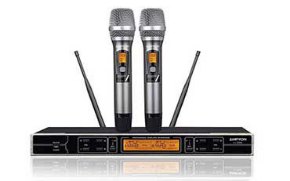
Microphone grilles deserve regular attention because they collect moisture, dust, and everyday handling buildup. Even when the microphone still works, a dirty grille can make the mic feel less fresh to use and can contribute to a setup that feels neglected over time.
Batteries matter because weak power often shows up gradually, not all at once. In wireless systems or portable karaoke units, declining battery condition can quietly reduce reliability before users think of it as a battery problem. Contacts and battery compartments also deserve a quick look now and then, especially if the gear is stored for stretches between uses.
Cables and connectors need simple visual checks. Look for loose fits, stress near the ends, bent sections, worn outer jackets, or plugs that no longer sit confidently. You are not trying to diagnose every symptom here. You are simply checking whether the most handled parts of the system still look and feel trustworthy.
How Often to Check Each Item
For most home systems, the right routine is light but consistent. Items handled every session should get a quick check every time you use the system. That includes microphone condition, battery level or battery swap readiness, and whether frequently used cables still connect cleanly.
A deeper visual check can happen less often, such as every few weeks for regularly used systems or before a planned gathering if the setup is more occasional. That is a good time to look more closely at connector wear, cable strain, battery compartment condition, and whether anything feels looser than it used to.
Portable systems and family-use systems usually need more frequent attention because they get moved, touched, and reconnected more often. If you are evaluating wear on a secondhand system before purchase, that is a different question and belongs more to Used Karaoke System Buying Guide than to normal ownership maintenance.
The goal is not a rigid maintenance calendar. The goal is catching normal wear while it is still small enough to manage easily.
Early Warning Signs to Notice
The most useful warning signs are the subtle ones. A microphone that suddenly needs more effort to sound normal, a cable that only works when it sits a certain way, a connector that feels loose, or a battery that does not hold up the way it used to are all signs worth noticing early.
Another warning sign is inconsistency. If the system works well one weekend and behaves strangely the next without a major change, that often points to normal wear in a handled part of the setup rather than a mysterious major failure. The sooner you notice that pattern, the easier it is to address.
Pay attention to surfaces too. Grilles that look visibly dirty, connectors that no longer seat cleanly, or battery areas that show neglect are not just cosmetic details. They often tell you where reliability may begin slipping. And if repeated wear keeps showing up in the same area of the system, that may also be a sign that the current setup is being pushed beyond how it is normally used, which is sometimes worth thinking about in the broader context of How to Upgrade an Existing Karaoke System.
In home ownership, early warning signs matter because they give you a chance to correct habits before they become real interruptions.
Safe Habits That Extend System Life
The safest habit is gentle handling. Do not yank cables out by the cord, do not leave microphones rolling around unprotected, and do not treat connectors as if they can absorb unlimited strain. Most home wear happens through repeated rough handling, not one dramatic accident.
Cleanliness helps too, but keep it simple. Keep microphone grilles reasonably clean, keep storage areas dry and tidy, and do not let dust and clutter build up around the parts you touch often. For portable units and removable batteries, avoid long periods of careless storage where the system is left half-ready and forgotten until the next gathering.
It also helps to coil and store cables in a calm, repeatable way instead of stuffing them into a corner after each session. That kind of routine does not feel dramatic, but it is exactly what keeps connectors, outer cable jackets, and setup reliability in better shape over time.
Finally, use the system in a way that matches the home. A stable setup that is connected thoughtfully and put away carefully usually lasts better than one that is constantly rushed in and out of use with no routine around it.
When Maintenance Will Not Solve the Issue
Maintenance helps prevent avoidable problems, but it does not replace real troubleshooting when the system already has a defined fault. If a microphone drops out repeatedly, a speaker channel disappears, or the system develops a clear symptom that returns even after basic care checks, then the issue is beyond routine maintenance. At that point, it helps to shift from upkeep into a more structured setup review, starting with Step-by-Step Home Karaoke Setup Guide.
Maintenance also will not turn worn-out parts into fresh ones. Its job is to reduce avoidable strain, catch early signs, and keep the system stable longer. It is not a substitute for repair, replacement, or a better-matched setup when the current one has truly outlived its condition.
FAQs
How often should I clean a karaoke microphone grille?
For normal home use, a light check and occasional cleaning is usually enough. If the microphone is used often by multiple people, inspect it more regularly so buildup does not become part of normal use.
What is the most common maintenance issue in home karaoke systems?
Usually it is the handled parts: batteries, cables, connectors, and microphones. Those parts wear gradually because they are touched, moved, and reconnected the most.
Should I keep spare batteries and cables at home?
Yes, that is often a smart habit. It helps you confirm whether a small issue is caused by a tired battery or worn cable without turning the session into a bigger troubleshooting event.
Can simple storage habits really make a difference?
Absolutely. Better storage reduces strain on cables, connectors, microphones, and batteries, which usually leads to fewer avoidable problems over time.
If you want more practical help with keeping a home karaoke system running smoothly, the setup and troubleshooting section can help.
Browse the guides for the next step that fits your setup and ownership needs.