
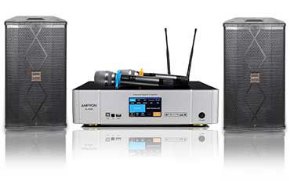







A TV, YouTube, and wireless microphones can make home karaoke feel very natural, but only when each part of the system is doing the right job. This guide is for home users who want a setup that is easy to repeat, easy to sing through, and less likely to run into delay, weak vocals, or control confusion during a normal family karaoke session.
The goal is not to build the most advanced signal chain. The goal is to build the most practical one for real use at home. If you want the broader source-level overview first, start with the Ultimate YouTube Karaoke Setup Guide.
Quick Answer: For most homes, the best TV + YouTube + wireless microphone setup is this: run YouTube on the TV or a streaming device connected to the TV, send TV audio into the karaoke system, connect the wireless microphone receiver directly to the karaoke system, and let the karaoke system handle the final music-and-vocal mix. That usually gives you clearer lyrics, cleaner vocal control, lower perceived delay, and easier daily use.
Table of Contents
What you need and why this setup works
This setup works well because it matches how most households already use media. The TV gives you the biggest and easiest lyric display in the room. YouTube gives you a huge song library with fast search. Wireless microphones make singing feel cleaner and more social. The karaoke system ties everything together so the music and vocals behave like one usable live mix instead of a group of disconnected parts.
For most homes, you only need five things:
- A TV: for clear lyric viewing from across the room.
- A YouTube source: either the TV itself, a streaming device, or another device feeding the TV.
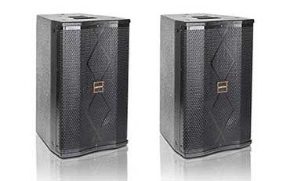
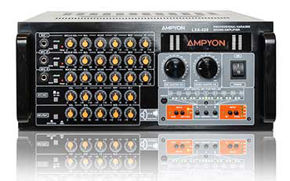
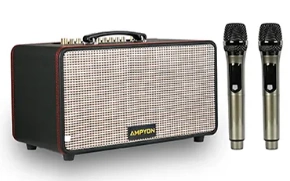
- A karaoke system: the mixer, karaoke speaker, or amplifier that handles music and microphones together.
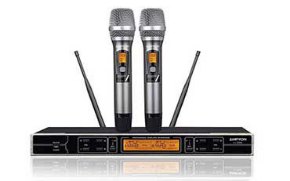
- Wireless microphones: usually two, so the setup feels usable for duets, guests, and family sessions.
- A clean TV-to-karaoke audio path: so the song reaches the karaoke system before the microphones are added.
The reason this format is so practical is that each device has a clear role:
- The TV shows the lyrics.
- YouTube provides the songs.
- The wireless mics capture the live vocals.
- The karaoke system controls vocal level, echo, and the final sound balance.
Most home problems start when those roles get blurred. If the TV is asked to do too much, you often lose control over the singing side. If the karaoke system never becomes the real control point, the setup may work on paper but still feel awkward in practice.
The simplest signal path for most homes
The most practical signal flow is usually the simplest one:
- YouTube plays on the TV or on a device connected to the TV.
- The TV sends music audio to the karaoke system.
- The wireless microphone receiver connects directly to the karaoke system.
- The karaoke system mixes music and live vocals together.
- The final sound comes from the karaoke speakers or main karaoke output, not the TV speakers.
This structure works because it creates one clear audio control point. Instead of splitting the music and microphones across multiple devices, it lets the karaoke system do the karaoke job. That usually gives you better vocal balance, more predictable echo control, and fewer problems when someone new in the house tries to use the system.
If the TV-to-audio side still feels unclear, the most useful next device-specific article is How to Connect a Karaoke System to a Smart TV.
A good rule for this whole article is simple: let the screen side stay with the TV, and let the singing side stay with the karaoke system. That approach usually leads to more stability, less feedback risk, and a cleaner day-to-day routine.
Step-by-step connection order
The easiest way to build this setup is one layer at a time. Do not connect everything at once and then guess which part is causing trouble. Build the path in a fixed order so each stage is clear before you move on.
1. Confirm where YouTube will run
Decide whether YouTube will run directly on the TV or on a streaming device connected to the TV. For most home users, either option is fine as long as the lyric display is easy to read and the source is stable enough for normal use.
2. Make sure the screen side works first
Before thinking about microphones, open a real karaoke track and confirm the lyrics are easy to read from the normal singing position. If people need to stand, sit, or turn awkwardly to follow the lyrics, the setup will feel worse even if the sound is fine.
3. Route the TV audio into the karaoke system
Next, connect the TV audio output to the karaoke system and test music only. At this stage, do not connect microphones yet. Your only goal is to confirm that a YouTube song on the TV reaches the karaoke system clearly and predictably.
If you are deciding which TV audio path is easier to live with, use HDMI vs Optical for Karaoke Systems before you start changing multiple connection types at once.
4. Connect the wireless microphone receiver to the karaoke system
Once the music path is working, connect the wireless microphone receiver directly to the karaoke system. This matters because the karaoke system is where you want control over mic level, vocal balance, and any light echo or reverb.
Do not treat the microphones like a separate side project. In a good home setup, they should feel like part of the same controlled audio path as the music.
5. Test one microphone before testing both
Start with one mic and speak normally into it. This makes weak vocal level, bad input selection, or overly aggressive music volume easier to notice. Once the first mic feels stable, bring in the second mic and test a simple duet-level balance.
6. Keep one final sound output
The last step is making sure the final mixed sound comes from the karaoke side only. Avoid using the TV speakers at the same time as the karaoke speakers. That usually makes the room feel less natural and can make timing problems easier to notice.
This order may sound basic, but it solves a lot of home karaoke frustration. A setup that is built in a calm sequence usually ends up easier to understand, easier to repeat, and easier to fix when something changes later.
First sound check and wireless mic basics
Your first sound check should focus on comfort, not perfection. Home karaoke usually sounds best when the music is steady, the vocals sit clearly above the track, and the room does not feel like it is fighting back.
Start with music first
Play one familiar karaoke video and set the music to a comfortable level before raising the mic. If the music already sounds oddly thin, harsh, or delayed, fix that first. Do not try to solve a TV-audio problem by turning the microphones up harder.
Raise the mic level slowly
Bring up one wireless mic until normal speech and light singing sit clearly over the song. Stop before the voice starts sounding strained or before the room reacts too much. In many homes, the cleanest result comes from moderate mic level and sensible room placement, not from trying to make the mic overpower the track.
Use echo lightly at the start
A small amount of echo can make home singing feel smoother, but too much echo makes lyrics feel less connected and can exaggerate timing problems. Start lighter than you think you need, then add a little more only if the room still feels too dry.
Place the wireless receiver sensibly
Keep the wireless mic receiver in a clear, open position rather than burying it behind other electronics or pushing it deep into a cabinet. A receiver that is easy to “see” from the singing area usually behaves more predictably than one surrounded by clutter.
Watch for the real problems first
In a setup like this, the first issues are usually easy to recognize:
- Music works but vocals are weak: mic level is too low, music is too loud, or the wrong mic input is being used.
- The room feels delayed: the TV audio path is adding extra processing, or the signal chain is more complicated than it needs to be.
- Feedback starts too quickly: the microphone is too close to the speaker output, the room is too reflective for the current level, or the mic is being pushed too hard.
- Wireless performance feels unstable: the receiver placement is poor, battery strength is low, or the room has too much interference around the signal path.
The best sound check is usually the one that leaves the system feeling simple and calm: lyrics are easy to follow, vocals are clear, music is stable, and nobody has to fight the room just to enjoy a song.
Reusable checklist for everyday home use
Use this checklist whenever you set up TV + YouTube + wireless microphones at home:
- Confirm YouTube is running on the TV or on one source device connected to the TV.
- Make sure the lyrics are easy to read from the real singing position.
- Test TV audio into the karaoke system before connecting microphones.
- Keep the karaoke system as the main control point for music and vocals.
- Connect the wireless mic receiver directly to the karaoke system.
- Test one microphone first, then add the second.
- Set music level first, then mic level, then light echo if needed.
- Use the karaoke speakers as the main final output, not the TV speakers.
- Run one full song before calling the setup finished.
- Leave the system simple enough that someone else in the house could repeat it.
A reusable routine matters because the best home karaoke setup is not just the one that works once. It is the one that stays understandable over time. When the structure is simple, the system tends to stay more stable, easier to troubleshoot, and easier to use for everyday singing.
Conclusion
For most homes, TV + YouTube + wireless microphones is the most practical karaoke format because it matches how people already sing at home. The TV makes lyrics comfortable to follow, YouTube keeps song access simple, and wireless mics make the room feel more open and social. The setup works best when the karaoke system stays in charge of the live audio side.
If you want the cleanest outcome, keep the structure simple: one screen path, one music path into the karaoke system, one microphone path into the karaoke system, and one final speaker output. That is usually the most reliable route to better clarity, less feedback, lower perceived delay, and easier daily use.
Frequently Asked Questions
What is the best basic setup for TV karaoke with wireless microphones?
For most homes, the best basic setup is YouTube on the TV, TV audio routed into the karaoke system, and the wireless microphone receiver connected directly to the karaoke system. That keeps lyrics easy to see and gives you proper control over the live vocal side.
Should wireless microphones connect to the TV or to the karaoke system?
In most home karaoke setups, they should connect to the karaoke system. That is where you can control vocal level, echo, and balance properly. Connecting microphones to the TV usually gives you less control and makes the setup harder to manage well.
Why does this kind of setup sometimes feel delayed?
Delay usually comes from the full signal path rather than from YouTube alone. TV audio processing, the chosen TV output method, and a more complicated-than-needed routing chain can all make timing feel less natural when you sing.
Is a streaming device better than a Smart TV app for this setup?
Either can work well. For many homes, the better choice is simply the one that feels more stable and easier to search. If the Smart TV app is smooth, it may be enough. If the TV feels slow or awkward, a streaming device may be the easier daily option.
Before your next singing session, test one real song with the full TV-to-karaoke path and both microphones ready.
That one small routine catches most setup mistakes before guests or family ever notice them.
Karaoke Setup Checklist Before a Party